Saturday, March 3, 2012

Book Review: Apple 1 Replica Creation / Back to the Garage

Book Review: Apple 1 Replica Creation / Back to the Garage
Author: Tom Owad
Published 2005
ISBN 10931836-40-X
The Book
Tom Owad is the founder of the applefritter.com web site dedicated to vintage Apple computers. This book is intended as a companion to the Replica 1 kit or a guide for building your own Replica 1 from scratch. The book is ideal if you have a Replica 1 kit and want more detailed instructions on how to assemble it and program it in BASIC and machine code.

The book covers the Replica 1 first edition. The Replica 1 kits currently shipping are the third edition (TE) and while the design has changed in some significant ways, it is still used and programmed the same way.

Chapter one covers the History of the Apple 1. This supplements the foreword by Steve Wozniak that talks about the Apple 1 and what led to it.

Chapter two is on tools and materials for electronics projects like assembling the Replica 1.

Chapter three covers some of the basics of digital logic.

Chapter four is on building the Replica 1 kit.

Chapter five discusses programming in BASIC.

Chapter six is on programming in assembly language.

Chapter seven is a description of the hardware in the Replica 1 such as the CPU, memory, RAM, ROM, and PIA.

Appendices cover ASCII codes, 6502 machine codes, some projects for hacking the Macintosh, and electrical engineering basics.

Overall the book is well written and useful. It covers a much wider range of information than, say, the typical book on 6502 programming, without going into too much detail on any one topic.

The book implies that someone could go from zero knowledge of electronics to designing their own circuit boards with this book. While that is a lofty and inspiring goal I'm not sure it's realistic.

My copy of the book was purchased from Amazon.ca at substantially below the list price ($39.95 USA / $57.95 Canada) but did not include the CD-ROM (that was clear from the Amazon listing and not a surprise to me). I suspect the software on the CD-ROM has become out of date (Macintosh CAD software) and is no longer included.

Some of the print quality is a little poor. The first page of the foreword has a grey background and text that is not quite black making it very hard to read. The subsequent pages are better but it makes for a bad first impression. Some of the photos lack contrast and are hard to see any detail. This may be only an issue with the recent copies - the copyright page says "Transferred to Digital Printing 2011". I'm not sure what that means.

The Macintosh Hacking section in the Appendix seems irrelevant and looks like filler material the author had at hand to make the book longer.

I like the author's writing style. It is informal, sometimes uses humour, and includes a lot of practical advice.

Overall this is a good companion book if you have a Replica 1 and puts a lot of information together than might otherwise need to be gleaned from several books (most of which would be out of print).

The author has hinted that there may be either an update and/or a download version coming shortly.

SWEET16 on the Replica 1

SWEET16 is an interpreted 16-bit virtual machine written by Steve Wozniak as part of the Integer BASIC ROM in the Apple II.

He had found that manipulating 16-bit data on the 8-bit 6502 took a lot of code. His solution was to implement a 16-bit processor in software. He figured it saved a significant amount of code size at the expense of speed. The interpreter only takes about 300 bytes of code.

You can read more about SWEET 16 in the references listed at the end of the posting.

While SWEET16 was written for the Apple II, it is mostly portable and has been ported to other 6502-based computers. I decided to port it to the Replica 1. The main effort was just adapting the source code to a different assembler. In my case I used the CA65 cross-assembler. I even found a shortcut - the port to the Atari computer was already very close to the CA65 format and only need a few changes. The port only tool an hours or so.

Essentially these were all the changes needed:

  • changes for comment format
  • adding colons to labels
  • moved the location of the 16 16-bit registers from page zero $E0..$FF to $00..$1F
  • changed start address to $0289
Note that some of the code in SWEET16 needs to be all on the same page. This start address ensures that. If you don't ensure this then the code will crash (as I learned).

Once it was ported and assembled I tried some sample SWEET16 code and confirmed that it ran okay.

Below is some sample code with the SWEET16 instructions listed in comments. You do a subroutine call to SWEET16 and it starts interpreting the instructions that follow. A SWEET16 RTN (return) instruction passes control back to native 6502 code.

;  Sample Sweet16 code program
   JSR SWEET16
  .BYTE $11,$00,$70 ; SET R1,$7000
  .BYTE $12,$02,$70 ; SET R2,$7002
  .BYTE $13,$01,$00 ; SET R3,1
;LOOP:
  .BYTE $41   ; LD @R1
  .BYTE $52   ; ST @R2
  .BYTE $F3   ; DCR R3
  .BYTE $07,$FB ; BNZ LOOP
  .BYTE $00   ; RTN
  RTS 

A nice feature of the CA65 assembler is that it has support for SWEET16 opcodes and you can switch between 6502 and SWEET16 code in the same source file. Here is an example of doing that:

; Example SWEET16 code
  SWEET16 = $0289
  .SETCPU "6502"
  JSR SWEET16
  .SETCPU "sweet16"
  SET R1,$7000
  SET R2,$7002
  SET R3,10
LOOP:
  LD @R1
  ST @R2
  DCR R3
  BNZ LOOP
  RTN
  .SETCPU "6502"
  RTS

I found one bug in CA65's SWEET16 support, it did not recognize the "SUB" instruction. I figured out a fix for it and submitted a patch back to the CA65 author.

If you would like a copy of the SWEET16 port for the Replica 1, drop me a line and I will be happy to send it to you.

References:

  1. http://en.wikipedia.org/wiki/SWEET16
  2. http://www.6502.org/source/interpreters/sweet16.htm
  3. http://atariwiki.strotmann.de/wiki/Wiki.jsp?page=Sweet16Mac65

The 65C02

The 65C02 microprocessor is an upgraded CMOS version of the MOS Technology 6502 8-bit CPU. Over the years it has been manufactured by Western Design Center, NCR, GTE, Rockwell, Synertek and Sanyo. It is electrically compatible with the 6502 and offers lower power consumption due to the use of CMOS technology.

The most interesting feature is that it supports some new instructions. The references listed later cover this in more detail, but briefly the new features are:

  • a new zero page addressing mode for ADC, AND, CMP, EOR, LDA ORA, SBC, and STA instructions
  • new accumulator DEC and INC instructions
  • JMP (abs,X) addressing mode
  • BRA (branch always) instruction
  • PHX PHY PLX PLY (push or pull X or Y register)
  • STZ (store zero) instruction
  • TRB (test and reset bits) instruction
  • TSB (test and set bits) instructions

Four additional instructions are available on 65C02s manufactured by Rockwell and WDC:

  • BBR BBS (branch on bit reset or set)
  • RMB SMB (reset or set memory bit)

Two additional instructions are available on 65C02s manufactured by WDC:

  • STP (stop the processor)
  • WAI (wait for interrupt)

Any unused opcodes are handled as NOPs by the 65C02 (with the 6502 the behaviour was undocumented).

Your Replica 1 may have come with a 65C02. If not (mine didn't) you can order one and replace the 6502 with a 65C02. While no longer manufactured, it is available as NOS (New Old Stock) from suppliers such as Jameco. I ordered one and received a Rockwell R65C02P2 which can run up to 2 MHz and has a date code from 2003.

65C02 on Replica (along with original 6502)
Some computers, such as the Apple IIc, shipped with a 65C02. The Apple 2GS, last of the Apple 2 series, used a 16-bit version of the 6502 processor called the 65C816.

The 65C02 will continue to run all existing 6502 code but you can also experiment with the new 65C02 instructions. You CPU will also consume less power and run cooler.

The version of the Krusader Assembler burned into ROM on the Replica 1 does not support the 65C02 but there is a 65C02 version. You can download that version from here  and program it into an EPROM (if you have the facility to do so) or run it from RAM.

One quirk of Krusader: it wants the INC and DEC instructions to be called INA and DEA. It also doesn't support the Rockwell/WDC-specific  instructions BBR, BBS, SMB. and RMB or the WDC-only STP and WAI.

Here is a screen shot showing Krusader assembling some 65C02 code:

Krusader Assembling 65C02 Code

And disassembling:
Krusader Disassembling 65C02 Code

The CA65 cross-assembler  also supports 65C02 instructions. You need to use the processor directive .PSC02 to enable it. Below is an assembler listing showing some 65C02 instructions (the code does not do anything meaningful):

ca65 V2.13.3 - (C) Copyright 1998-2012 Ullrich von Bassewitz
Main file   : 65c02.s
Current file: 65c02.s


000000r 1                       .PSC02
000000r 1  80 00                BRA next
000002r 1  65 01        next:   ADC $01
000004r 1  25 02                AND $02
000006r 1  C5 03                CMP $03
000008r 1  45 04                EOR $04
00000Ar 1  A5 05                LDA $05
00000Cr 1  05 06                ORA $06
00000Er 1  E5 07                SBC $07
000010r 1  85 08                STA $08
000012r 1  89 12                BIT #$12
000014r 1  34 34                BIT $34,X
000016r 1  3C 78 56             BIT $5678,X
000019r 1  3A                   DEC
00001Ar 1  1A                   INC
00001Br 1  DA                   PHX
00001Cr 1  5A                   PHY
00001Dr 1  FA                   PLX
00001Er 1  7A                   PLY
00001Fr 1  64 12                STZ $12
000021r 1  74 12                STZ $12,X
000023r 1  9C 56 34             STZ $3456
000026r 1  9E 56 34             STZ $3456,X
000029r 1  14 12                TRB $12
00002Br 1  1C 56 34             TRB $3456
00002Er 1  04 12                TSB $12
000030r 1  0C 56 34             TSB $3456

References

Finally, here are some good references for information on the 65C02:

  1. http://en.wikipedia.org/wiki/65c02
  2. http://www.6502.org/tutorials/65c02opcodes.html
  3. http://www.llx.com/~nparker/a2/opcodes.html

Friday, March 2, 2012

Time for Some Machine Language Programming

I haven't done any 6502 machine language or assembly programming since about 1985. With the Replica 1 it is time to try my hand again.

I learned machine code programming on my old Ohio Scientific Superboard computer. As well as BASIC in ROM it provided a simple machine language monitor program that let you examine and change memory and run programs. You could also load programs from cassette tape. Despite having a screen and keyboard, the monitor was more primitive than the Apple 1 "Woz" monitor, only letting you examine one memory location at a time.

The main book that helped me understand 6502 machine language programming was Programming a Microcomputer: 6502 by Caxton Foster.


Later when I had an Apple //e the Don Lancaster book below helped me understand how to use the Apple EDASM assembler:


I still have my handy 6502 Reference card:


Back in those days I first wrote a disassembler in BASIC to help debug my programs. It helped make sure I had at least hand assembled them correctly, especially branches. Then the disassembler was rewritten in machine code. Later I wrote a simple assembler written in BASIC and I think I also wrote a very simple assembler in machine language.

The largest machine language program I wrote for the Ohio Scientific was a tank battle game that used character graphics and supported two players with joysticks.

With the Replica 1 I wrote some small standalone assembly code starting with the "hello world".  In fact the Apple 1 manual includes a simple program to type into the Woz monitor and it is reproduced in the Replica 1 manual.

Looking for a little larger project, I decided to write a small machine language monitor. Initially this was just going to be a way to dump memory in a more conventional and fast format. Then I added some more commands.

The functionality overlaps with the Woz monitor and Krusader's mini monitor, but it was meant more as a learning exercise and not really as a useful tool.

Commands

The program prompts the user for commands which all start with a single letter. At any time you can hit to cancel a partially entered command. When a command is completely entered it is executed without having to press .

HELP: ?

This displays a summary of the valid commands.

DUMP: D start

This dumps memory in hexadecimal and ASCII a screen at a time. At the end of a screen you can continue by pressing or cancel with . See later for an example of the display format.

FILL: F start end data

This fills a range of memory from a start to end address using an 8-bit data value.

COPY: C start end dest

This copies memory from the source start and end location to the destination. The memory can overlap only if the destination is greater than the start address.

VERIFY: V start end dest

This verifies that two ranges of memory match. Any mismatches are reported (see an example later). It is used to verify that a copy command was successful.

HEX TO DECIMAL: H addr

This converts a 16-bit hexadecimal value to decimal. It uses signed decimal numbers as in BASIC.

RUN: R address

This command runs a program, starting at the given address.

WOZ MON: $

This runs the Woz monitor.

MINI MON: K

This runs the Krusader mini-monitor.

ASSEMBLER: A

This runs the Krusader Assembler.

BASIC: B

This runs BASIC.

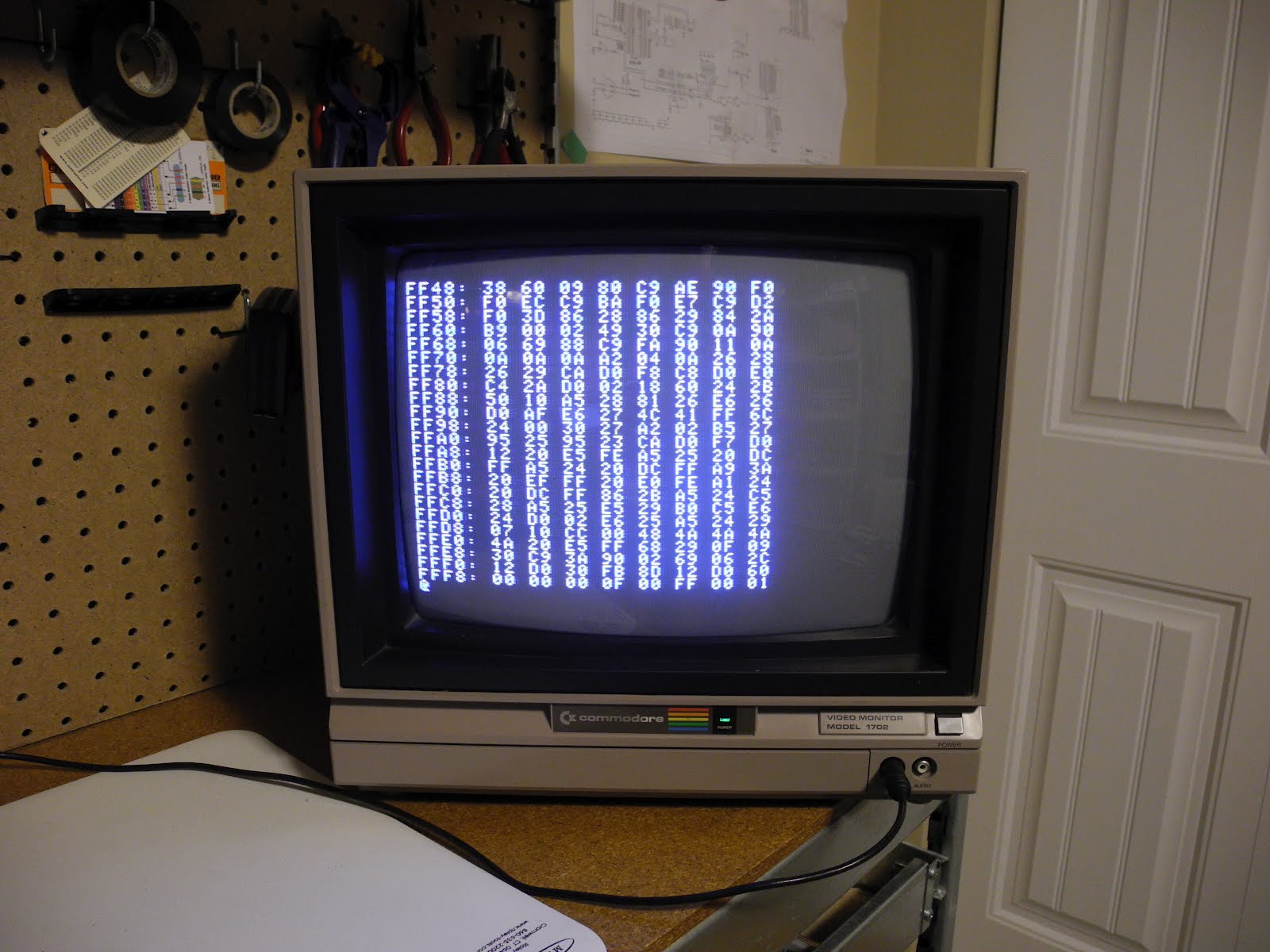
A screen shot is shown below:


Here is the output captured from a sample session, with some comments added in italics and commands I typed in bold.

JMON MONITOR V0.1 BY JEFF TRANTER

Help command:

? ?
COMMANDS:
DUMP:      D
FILL:      F
COPY:      C
VERIFY:    V
HEX TO DEC H
RUN:       R

WOZ MON:   $
MINI MON:  K
ASSEMBLER: A
BASIC:     B
HELP:      ?

Dump command:

? D FF00
FF00 D8 58 A0 7F 8C 12 D0 A9  .X......
FF08 A7 8D 11 D0 8D 13 D0 A9  ........
FF10 5C 20 EF FF 20 1B FF 90  \ .. ...
FF18 F6 B0 F9 20 E5 FE A0 01  ... ....
FF20 88 30 F8 20 BE FE 99 00  .0. ....
FF28 02 C9 0D F0 0B C9 5F F0  ......_.
FF30 EF C9 1B F0 DA C8 10 EB  ........
FF38 A0 FF A9 00 AA 0A 85 2B  .......+
FF40 C8 B9 00 02 C9 0D D0 02  ........
FF48 38 60 09 80 C9 AE 90 F0  8`......
FF50 F0 EC C9 BA F0 E7 C9 D2  ........
FF58 F0 3D 86 28 86 29 84 2A  .=.(.).*
FF60 B9 00 02 49 30 C9 0A 90  ...I0...
FF68 06 69 88 C9 FA 90 11 0A  .i......
FF70 0A 0A 0A A2 04 0A 26 28  ......&(                                        
FF78 26 29 CA D0 F8 C8 D0 E0  &)......                                        
FF80 C4 2A D0 02 18 60 24 2B  .*...`$+                                        
FF88 50 10 A5 28 81 26 E6 26  P..(.&.&
FF90 D0 AF E6 27 4C 41 FF 6C  ...'LA.l
FF98 24 00 30 27 A2 02 B5 27  $.0'...'
FFA0 95 25 95 23 CA D0 F7 D0  .%.#....
FFA8 12 20 E5 FE A5 25 20 DC  . ...% .
FFB0 FF A5 24 20 DC FF A9 3A  ..$ ...:
  TO CONTINUE, TO STOP

Fill some memory:

? F 6000 6FFF 00

Copy some memory:

? C 6000 6FFD 7000

Verify the memory:

? V 6000 6FFF 7000
MISMATCH: 6FFE: 00 7FFE: 7A
MISMATCH: 6FFF: 00 7FFF: FF

Convert some hex numbers to decimal:

? H 0001 = 1
? H 7FFF = 32767
? H 8000 = -32768
? H FFFF = -1

Jump to the Krusader mini-monitor:

? K
A-4B X-91 Y-02 S-03 P-36 BIZ
0C14   00          BRK
-


Here are some notes on the implementation of the code.

It was written using the CAS65 cross-assembler. This archive file includes the following files:

jmon.s   - source code for CAS65
jmon.txt - binary suitable for loading into the Woz monitor
Makefile - Linux make file to build the code

Depending on the version of Krusader you have, you want need to adjust the values of MINIMON and KRUSADER in the code to match the start addresses for your version. Mine were set for Krusader version 1.3.

There are some routines that you might find useful in you own programs, such as the PrintString routine. Feel free to do so. Some of these were based on code examples taken from 6502.org.

The code to convert hex to decimal is a little hairy. I based it on some example binary to BCD code and then made changes to support negative numbers and suppress leading zeroes.

The copy memory routines could be smarter and handle a copy to a lower overlapping address, but I didn't bother to implement this. I did add a check for valid addresses.

Most of the code is well commented and should not be too hard to follow. If you have any questions or comments, feel free to contact me.


Update: The source code and binary can be downloaded from here. I made a version 0.2 which adds a search command.

Thursday, March 1, 2012

Classic BASIC Games

The Apple 1 (and Replica 1) uses a 6502 microprocessor which run a native machine code. Programming in machine code is hard - it is low level, very tedious, and hard to debug. Steve Wozniak realized when he designed the Apple 1 that it needed to be easier to use, so he wrote an implementation of the BASIC language for it to make the computer more accessible to new computer users.

BASIC, which stands for Beginner's All-purpose Symbolic Instruction Code, is a much easier language to learn and program in for beginners. I'd say it is roughly 100 to 1000 times easier to program than machine language. What is the price you pay for the ease of use? Because it is interpreted, it runs 100 to 1000 times slower that machine language. In many cases the speed is not an issue.

Woz's implementation of BASIC was developed by hand assembling it on paper into machine code and then typed in using the monitor. It fit in 4K of memory and came on cassette tape. The Replica 1 includes it in ROM so it can be loaded immediately.

In this blog posting I'll describe some of the BASIC programs available for the Replica 1. Most of these are classic games from the early days of personal computers and were written for the Apple 1 or written for similar computers and ported to the Apple 1.

The dialect of BASIC in the Apple 1 has a number of quirks and limitations. In a future posting I'll talk about this in more detail as well as some other implementations of BASIC available for the Replica 1. Overall though, it is quite usable and compatible with most dialects of BASIC from that era of early personal computing.

The classic book "101 BASIC Computer Games" by David Ahl collected many of the popular early games written in BASIC. When it was first published in 1973, most computers were mainframes or minicomputers accessible only to university students and faculty and employees of computer companies. I was fortunate to find a used copy a few years back.


With this book and a computer running BASIC, even a non-programmer could type in and run computer programs (although you typically had to make changes to adjust for the dialect of BASIC on your computer).

I also have a copy of the version from 1978, now called the "Microcomputer Edition" and updated to reflect the early computers popular at that time such as the Apple II, Radio Shack TRS-80, Commodore PET, and Ohio Scientific. Around 1980 I owned an Ohio Scientific Superboard computer and spent many hours typing in, debugging, and playing games from this book.


The Replica 1 comes with a CD-ROM that includes a number of BASIC games (about 30 or so). Here is a brief review of what I think are some of the better ones.

ACEYDUCEY

A card game similar to blackjack where you bet on whether a card dealt will be in between two cards that are shown.

BLACKJACK

The classic card game Blackjack or 21 where the goal is to get as close as possible to 21 without going over.

BOWLING

An interestring implementation of 10 pin bowling with the only graphics being "ASCII art" indicating the pins. It supports multiple players. There is no skill involved, the computer simply reports the randomly generated results of each roll of the ball.

CRAPS

A computer version of the gambling game played by rolling dice.

DEAL

An implementation of the "Deal or No Deal" game show. This is a newly written game for the Replica 1 by Vince Briel and it is very well done.

ELIZA

This is a BASIC version of the classic artificial intelligence program that acts as a psychotherapist. You have a conversation with the computer and it may help you to discuss your problems. It can be entertaining but won't pass the Turing test.

HAMMURABI

Hammurabi (often mispelled Hamurabi) is a game where you are the ruler of ancient Sumeria and have to decide how to manage the city: how much land to buy or sell, how much grain to feed the people, plant for crops, or keep in storage. If you don't choose wisely, people will starve or revolt. Surviving your 10 year term of office is the challenge.
HANGMAN

A nice implementation of the classic hangman word guessing game. It is quite well done using ASCII art to draw the character.

SLOTS

This is a simulation of a one armed bandit slot machine.

STAR TREK 2003

Star Trek was the most popular BASIC game of all time and various incarnations of it ran on every microcomputer and mainframe since it was written in the late 1960s. In the game you travel through the galaxy attempting to rid each quadrant of Klingons using phasers and photon torpedoes.
This version was ported to the the Replica 1 by Vince Briel in 2003 and runs very well. It lacks a few features of some of the larger versions but does an amazing job within the memory and limitations of
Apple 1 BASIC.

This is my personal favourite classic BASIC game.

SUDOKO

A new program written by Larry Nelson for the Apple 1. It generates Sudoko puzzles in one of three difficulty levels and can also display the answer.

WORDSEARCH

This program generates word search puzzles using words that you enter. It's probably only useful if you save and print out the puzzles.

WUMPUS

In this game you are in a cave with twenty rooms in the form of a dodecahedron where every room leads to three other rooms. Your goal is to hunt down and shoot a creature called the Wumpus using your bow and arrows. Hazards you may encounter include bottomless pits and super bats.

This is a classic game but for some reason is not included in the 101 BASIC Computer Games book.

Entering these classic programs onto the Replica 1 is a lot of fun and a good way for non-programmers to get started.

Be warned though: One of the pioneers of computer programming, Edsger Dijkstra, said that programming in BASIC would ruin you as a programmer for life. It is too late for me, the first programming language I learned was BASIC.

Wednesday, February 29, 2012

Replica 1 ROM and Hardware Ramblings

I should mention the software (technically firmware) that comes in the EEPROM of the Replica 1.

The Replica 1 has 8 kilobytes of ROM. ROM, of course, is Read Only Memory, memory which is persistent and remains when the system is powered off.

My system came with a 28HC64 EEPROM chip which is an Electrically Erasable Programmable Read Only Memory chip, one which can be reprogrammed (more about this in a later installment).

I understand that some Replica 1 kits shipped with a 27C64 EPROM which is also programmable but must be erased using ultraviolet light. These chips have a small window made of quartz glass so that the chip inside can be exposed to light. The 2864 and 2764 chips are electrically compatible other than the method of erasing.

The original Apple 1 had only 256 bytes of ROM. It contained the machine language monitor written by Steve Wozniak that allows displaying and modifying memory in hexadecimal and running programs. This was sufficient to allow a user to enter programs, typically that were hand assembled on paper and entered as hex numbers. While this sounds primitive, it was actually a great advance over other computers of the same era such as the Altair which required entering programs as ones and zeroes using switches on a front panel (the Altair, in fact, had no ROM at all).

Of the parts on the Replica 1, most are still manufactured. One of the exceptions is the 6502 chip. It is still, however, available from some suppliers as NOS (new old stock). The chip on my board is a Synertek 6502B and the date code on it is 8109, indicating it was manufactured in the 9th week of 1981. That makes it one of the original NMOS 6502 chips. Later a CMOS version called the 65C02 with new instructions was introduced. I'll talk about it in a future blog posting.

In the extra space available in the 8K ROM the Replica 1 includes the version of the BASIC language that Woz also wrote for the Apple 1 (which on a real Apple 1 was typically loaded from cassette tape using the optional tape interface).

It also contains the Krusader assembler written by Ken Wessen. This allows entering assembly language programs as English mnemonics rather than hex numbers, and also includes an disassembler and machine language mini monitor.

I made a few small hardware modifications to my Replica 1. Since there is no case, rubber feet on the bottom of the circuit board will keep it more stable on a surface, avoid scratching a desk, and avoid shorting it on a metal surface. You can get suitable adhesive rubber feet at most dollar stores.


While I was waiting for my missing crystal oscillator to arrive, and running it from the circuit I breadboarded, I ran my system at 2MHz (rather than 1) since I had a 2MHZ crystal and the 6502B chip in my system is rated up to 2MHz. I later installed a socket so I can put in a 1 or 2 MHz oscillator.

The serial port on the Replica 1, like the Apple 1, has no hardware handshaking, and even though it runs at only 2400 bps you need to add delays when transferrring files to ensure that data is not lost while the system is operating. This makes uploading of programs quite slow.

I made the high speed serial mod described here that allows the port to run at 115,200 bps with hardware handshaking while remaining software compatible with the Apple 1. The mod worked quite well for me. It requires reprogramming the Propeller chip which requires some care to do correctly. You also need to install 4 jumper wires. I highly recommend this as large programs now load in a few seconds which formerly took many minutes. I also found I can use the Linux minicom program to transfer files, which I was never able to use reliably without the serial mod.
Once minor annoyance is that the Replica 1, like the Apple 1, has no power on reset circuit. You need to hit the reset button after power up. Adding a power on reset would be a nice improvement although I haven't done it on my system. There would be room on the prototype area to add it. One possible circuit is the one used by the Apple 2 using a 555 type timer chip. In fact the first Apple 2 systems did not have a power on reset circuit and it was added in a later revision. Another option is a MAX707 chip as was done here.

Finally, on the subject of hardware, Briel Computers offers some add-on accessories for the Replica 1. The Multi I/O board adds a full serial port, 2 8-bit parallel ports, an EEPROM programmer, and space for an optional speech synthesis chip. I'll discuss this board in a future blog posting.

A Compact Flash Adapter board allows loading and saving programs to flash memory. Unfortunately, the supplier of these boards is not currently making them.

A slot 1 Expander provides 3 additional Apple 1-compatible expansion slots, so you can install multiple add-on boards.

Several people also offer replicas of the only option board offered for the original Apple 1, the casstte tape interface, so you can save and load programs using cassette tapes.

Tuesday, February 28, 2012

The Replica 1

I recently built a Replica 1 computer kit. I've been having a lot of fun with it doing some retro computing, so I'm going to blog some of my experiences here.

The Replica 1 is a recreation of the Apple 1, the computer that started Apple computer as a company. The Replica 1 is not an exact copy, as the original Apple 1 used a number of components that are now hard to obtain and was quite complex. The Replica 1 uses some modern components, but the same 6502 processor and is compatible enough to run software written for the original Apple 1.

You can read about it in detail, but briefly, the key features are:
  • a 6502 processor with 32K of RAM
  • 8K of ROM containing a machine language monitor and BASIC (written by Steven Wozniak) and an assembler/disassembler/debugger
  • support for an ASCII keyboard (like the Apple 1) or a modern PS/2 PC keyboard
  • composite video output to a television or monitor
  • a serial port that allows transferring files to a computer
  • an Apple 1 compatible slot and expansion connector
You can buy it assembled or as a kit. I chose the kit version. Assembly was quite straightforward. I'm an experienced kit builder but there is nothing particularly challenging about the kit as it has no surface mount components and the instruction manual is very well written. Below is a picture of all the parts in the kit organized and ready to start assembly.


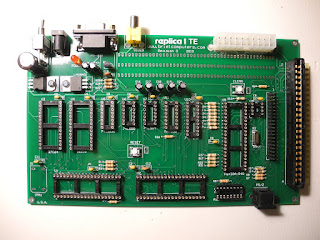
Here is the board assembled but no ICs yet inserted in the sockets:

And here is the board with ICs installed being powered up for initial testing:

I used a PS/2 keyboard as ASCII keyboards are very difficult to find these days (the most common source would be to take one out of an old Apple 2 computer). I had a suitable DC power adaptor although I also tried it with an ATX style PC power supply (which is much larger).

For video output I tried it with both a television and an old Commodore 1702 monitor. The Commodore monitor was a little better quality and more authentic.

All ICS are socketed. I followed the recommended procedure of first testing all the power supply voltages before installing the ICs. Then I installed the Propeller chip and EEPROM to verify the video output. At this point I had one problem - there didn't seem to be any video output. Eventually I realized that the EEPROM for the Propeller chip was not the large 28C64 EEPROM, it was the little 8-bin 24LC256 chip. Once I installed the right chip, the Propeller chip loaded it's code and displayed the "@" prompt. Next I installed the 6502 and remaining chips and the machine language "Woz" monitor came up, allowing me to examine memory.

I had one other issue - my kit was missing the 1 MHz crystal oscillator used for the 6502 processor. An e-mail to Vince Briel had one of these on its way in the mail, but in the mean time I built a crystal oscillator circuit on a breadboard using a TTL chip and a 1.4 MHz crystal I had in my junk box. You can see it in the picture below.

In future blog postings I will talk in more detail about some of the interesting hardware and software available for the Replica 1 as well as some of the software I've written and experimented with.

Finally, in researching the Apple 1 on the Internet I came across the web site signedbywoz.com that sells pictures and other memorabilia signed by Steve Wozniak, the designer of the Apple 1 and Apple 2. I just had to have one of these items for my "man cave" where I work with computers and electronics. I ordered a signed Apple 1 schematic. Here is a picture of it framed on the wall.

References: