Monday, March 12, 2012

Applesoft Lite in EEPROM


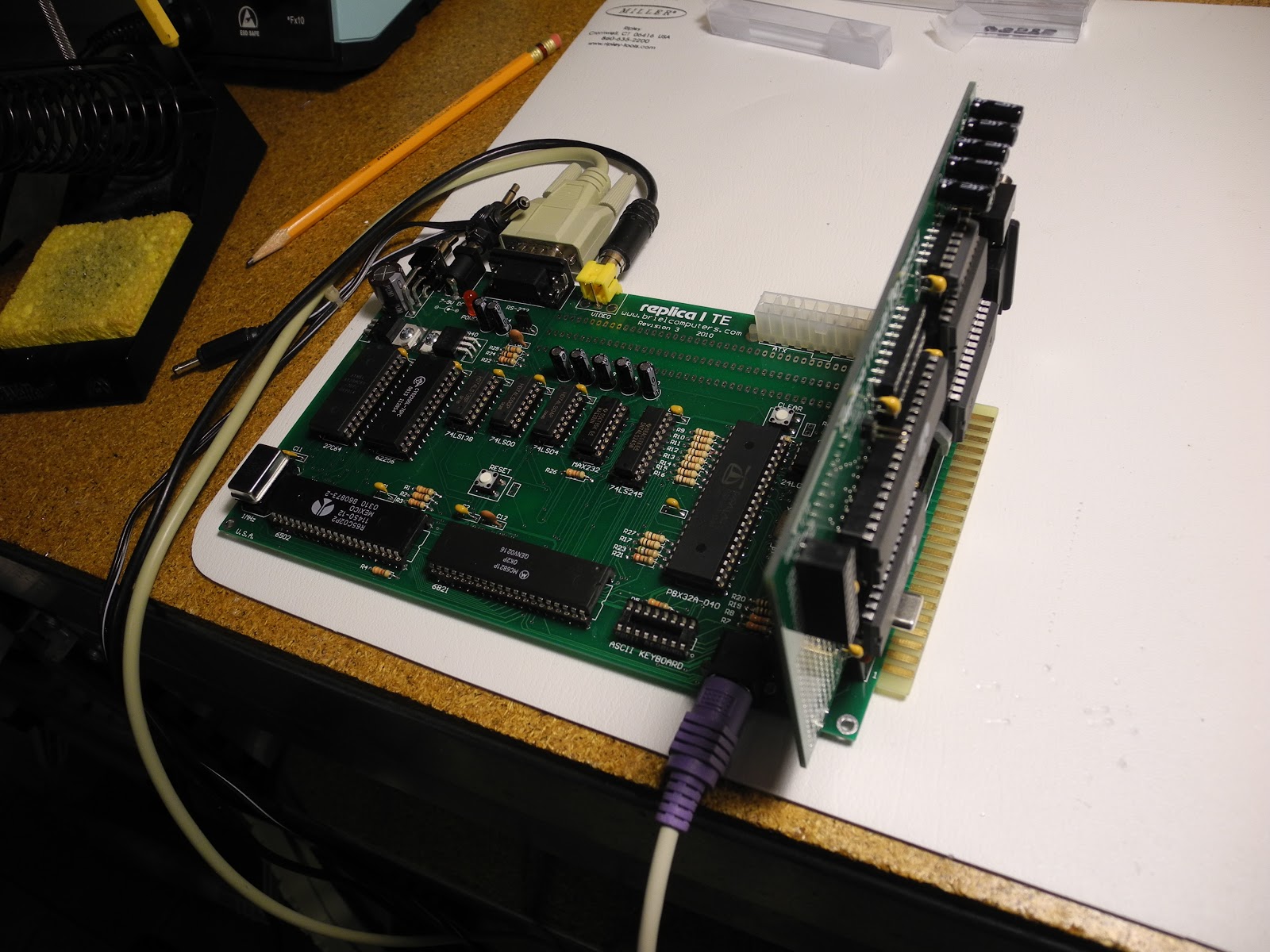
Recently I've been playing with the EEPROM on the Replica 1 Multi I/O board. The other day I built my JMON monitor program to run out of it. It just needed to have the link address changed to $A000. It was nice to see that it worked out of ROM without any code changes.

Today I rebuilt the Applesoft Lite BASIC interpreter to run out of the Multi I/O EEPROM socket. I downloaded the source code and just made some changes to a couple of files.

By default it builds at address $E000 so it can replace the the on-board EPROM and includes the Woz monitor at $FE00. I didn't need to include the Woz monitor so I removed it from the list of objects to link. Here is the diff to the Makefile:

% diff Makefile.orig Makefile
4c4
< OBJS    = applesoft-lite.o io.o cffa1.o wozmon.o
---
> OBJS    = applesoft-lite.o io.o cffa1.o

It needs to be linked starting at address $A000 rather than $E000, so I made these changes to
the file replica1.cfg, as well as removing the Woz monitor code:

% diff replica1.cfg.orig replica1.cfg
2,3c2,3
<       BASROM:         start = $E000, size = $1F00, fill = yes, file = %O;
<       MONROM:         start = $FF00, size = $100, fill = yes, file = %O;
---
>       BASROM:         start = $A000, size = $1FFF, fill = yes, file = %O;
> #     MONROM:         start = $FF00, size = $100, fill = yes, file = %O;
8c8
<       MONITOR:        load = MONROM,  type = ro;
---
> #     MONITOR:        load = MONROM,  type = ro;

With that it built and worked like a charm. I can now load Applesoft Lite at any time with an "A000R" command from the Woz monitor.
Applesoft Lite running from EEPROM
The code builds with the CC65 assembler, which I had installed. There is a handy utility in the version of CC65 which has been patched to support the Replica 1. The bintomon program converts a binary file from the CA65 tools to the format that can be loaded by the Woz monitor over a serial port.

I made an enhanced version of this program that adds a few features. Specifically:

  1. You can optionally get the start address from the binary file (which seems to be the case when building a C program but not when building an assembler program).
  2. You can specify the load address on the command line.
  3. You can optionally specify the run address on the command line (when it differs from the load address)
  4. Support for  standard command line option parsing.
  5. A verbose option that displays information about the file.

The command usage is:

bintomon [-v] [-f] [-l LoadAddress] [-r RunAddress] filename

To generate the download file for Applesoft Lite I used:

bintomon -l 0xa000 applesoft-lite.bin >applesoft-lite.txt

In a future blog posting I will talk more about the CC65 assembler package and how to use the accompanying C compiler with the Replica 1.

Wednesday, March 7, 2012

Direct Keyboard Input From BASIC


The BASIC INPUT command reads a line of text from the keyboard and assigns it to one or more variables. Sometimes you want to get a single key without requiring the user to press <Enter>. You may also not want to echo the character to the screen. Many versions of BASIC provide a command called GET that reads a character from the keyboard immediately but Apple 1 BASIC does not. I describe here a way to do this using a small machine language routine that is called from BASIC.

Section III on page 8 of the Apple-1 Operation Manual describes how to read a key from the keyboard in assembly language. The keyboard interfaces through a 6821 PIA (Peripheral Interface Adaptor) chip. The high order bit of the control register at address $D011 will be set when a key has been pressed. The key code can then be read from the data register at address $D010. The high order bit of the key code is always 1 and the low order 7 bits are the ASCII code for the key that was pressed.

We can take the sample code from the Apple manual and turn it into a routine that we can call by adding an RTS (return from subroutine) at the end. We also need to store the character we read in a memory location for later use. Below is assembler code in a form that is accepted by the Krusader assembler if you want to try typing it in and assembling it.

CR .= $D011 ; CONTROL REGISTER
DATA .= $D010 ; DATA REGISTER
POLL LDA CR ; READ CONTROL REG
 BPL POLL ; BRANCH UNTIL BIT 7 SET
 LDA DATA ; GET CHARACTER
 STA KEY ; STORE IT
 RTS  ; RETURN
KEY .B $00 ; KEY CODE

The listing from Krusader is a little more readable:

000 CR     .=  $D011         ; CONTROL 
001 DATA   .=  $D010         ; DATA REG
002 POLL   LDA CR            ; READ CON
003        BPL POLL          ; BRANCH U
004        LDA DATA          ; GET CHAR
005        STA KEY           ; STORE IT
006        RTS               ; RETURN
007 KEY    .B  $00           ; KEY CODE

Below is the disassembly from Krusader:

0300   AD 11 D0    LDA   $D011
0303   10 FB       BPL   $0300
0305   AD 10 D0    LDA   $D010
0308   8D 0C 03    STA   $030C
030B   60          RTS   
030C   00          BRK  

The zero value we stored in location KEY gets disassembled as a BRK instruction but it's really just data. We can call this routine from BASIC using the CALL command and then reading location KEY.

First lets convert the start address of the routine and of KEY to decimal:

$0300 = 767
$030C = 780

Our BASIC code to call it looks like this. We call the routine, and then when it returns to BASIC we get the key from location 780. Since the high bit of the character is normally set, we can subtract 128 to get the more conventional ASCII code for the key.

10 CALL 767
20 K=PEEK(780)
30 IF K>=128 THEN K=K-128
40 PRINT "KEY=";K
50 END 

And running it, we see the output:

>RUN
KEY=65

In the example above I hit the key "A".

This works but we need to arrange to make sure that the machine language program resides in memory. We could save it as part of the binary dump of the program (as we discussed in a previous blog posting) but it would be ideal if the BASIC program set this all up itself so it was self-contained. Let's POKE the program into memory from our BASIC program.

We need to convert the hex bytes in the assembly listing to decimal needed by BASIC. Here is the conversion:

Hex:  AD 11  D0  10  FB  AD  10  D0  8D  0C  03  60
Dec: 173 17 208  16 251 173  16 208 141  12   3  96

We can POKE these values into memory starting at address $0300 or 768 decimal. It's a little verbose because we don't have a DATA statement in Apple 1 BASIC but for a short program like this it is fine.

The complete program is shown below. I made the code to initialize the machine language program a subroutine we can call at line 1000. We need to do this once. The routine to get a key is a subroutine at line 1100.  The main program displays the key code. We then loop back unless the the key was code 81 (the letter "Q") in which case we quit.

10 GOSUB 1000
20 GOSUB 1100
30 PRINT "GOT KEY: ";K
40 IF K <> 81 THEN 20
50 END
1000 REM INIT ML CODE
1010 POKE 768,173:POKE 769,17:POKE 770,208:POKE 771,16:POKE 772,251:POKE 773,173
1020 POKE 774,16:POKE 775,208:POKE 776, 141:POKE 777,12:POKE 778,3:POKE 779,96
1030 RETURN
1100 REM GET KEYBOARD KEY
1110 CALL 768
1120 K = PEEK(780)
1130 IF K > 128 THEN K = K - 128
1140 RETURN

If you've been paying close attention and followed all of this, you may be wondering why we can't avoid the machine language routine entirely and just read the keyboard registers directly from BASIC using PEEKs. The problem is that BASIC polls the keyboard after every statement and if a key is pressed, it stops execution. We need to read the PIA data register after a key is pressed to clear the control register bit that indicates that there was a keypress. By doing this in machine language we do it all outside of BASIC and avoid the problem of BASIC stopping.

If Apple 1 BASIC was like most other implementations, only stopping when a Control-C was pressed, we could get by with the approach of just PEEKing the hardware registers directly.

Some BASIC versions of GET wait for a key to be pressed and return it, like here. Some return an empty string if a key was not pressed. You could easily modify this program to return a suitable value (e.g. 0) if no key has been pressed, if this was the behaviour you needed.

I hope you can see from this example that it is quite easy to call machine language from BASIC and you could extend this to more complex machine language code that might return more values such as numbers or strings.

Attack of the (Apple 1) Clones


There are some other Apple 1 reproductions available other than the Briel Replica 1.

Achatz A-ONE
The Achatz A-ONE
From Achatz in the Netherlands, this is an Apple 1 compatible single board computer similar to the Replica 1. It has a 6502 processor, 6821 PIA, 32K of RAM and 32K of ROM. The ROM includes the Woz monitor, BASIC, and an assembler. It accepts a PS/2 keyboard and produces 40x24 composite video out. Programs can be transferred via a serial port. It comes as a fully assembled board.

Also offered is the A-ONE-Extended version which includes an onboard solderless breadboard with access to key signals so you can easily prototype hardware on it,

Mimeo

Willegal Mimeo
Mike Willegal designed an almost exact duplicate of the original Apple 1. Many parts are the exact components used by Apple on the original. The price for the kit is the same as the original Apple 1 - $666.66. He also offers a cassette interface and PS/2 keyboard adaptor.

At the time of writing the Mimeo kits were sold out but may become available again in the summer of 2012.

Obtronix

The Obtronix Apple 1 reproduction is from Steve Gabal, who occasionally auctions them off on eBay.
Like the Mimeo is is an almost an exact replica of the original 1976 Apple 1 and difficult to distinguish from an original. Check eBay for availability of the system.

And Of Course The Real Thing...
A Real Apple 1(in custom made case)

Less than 200 Apple 1's were made and Apple encouraged owners to sell them back to Apple and upgrade them to Apple IIs. One reason was because only Woz himself could do tech support and repairs. The systems returned to Apple were destroyed. It is estimated that less than 50 remain in existence. Several are in museums (I saw one at The Computer History museum in Mountain View, California). Occasionally they come up for auction on eBay or other sources.

In November 2010 Apple 1 serial number 82 sold for the equivalent of $213,600 at Christie's auction house in London. This particular unit included original packaging and documentation such as the bill of sale, making it more collectible.

Four Apple 1 systems have been sold on eBay in the last few years for prices ranging from $17,000 to $50,000.

LOMEM, HIMEM, and saving BASIC Programs


I spent some time today making sense of how to save BASIC programs as memory dumps, and the use of the LOMEM and HIMEM commands. Much of this has been covered in forums, web sites, and in documentation but I wanted to combine all the information here in one place, hopefully in a form that makes sense.

Apple 1 BASIC, as on the Replica 1, doesn't use all available memory by default. Most later BASICs did this, possibly after prompting the user for a manual entry of memory size on startup if they desired. The lower and upper range of memory addresses can be set by using the commands LOMEM and HIMEM as documented in the Apple BASIC User's Manual. Here is an example:

LOMEM=2048
HIMEM=4096

This must be typed as a immediate mode command, not from within a BASIC program. It also destroys any program that might currently be loaded (It doesn't seem to actually clear any program from memory but it is likely to crash BASIC if you don't clear it). It doesn't do any checking that the addresses are valid.

The defaults are the values listed in the previous example, which make sense for the original Apple 1 with 4K of memory.

If you have more memory and you want to make use of it, you can use the commands to extend the range of memory used. Typically you would only set HIMEM. On a Replica 1 with 32K of RAM the highest address available is hex $7FFF or decimal 32767, so to make use of all the memory you could do:

HIMEM=32767

Before loading or entering a program.  How do you know if you need to do this? The symptom of running out of memory is getting the "*** MEM FULL ERR" error message.

Incidentally, you can't directly read the values of LOMEM and HIMEM from BASIC, although it may appear that you can. Try doing:

PRINT HIMEM
PRINT LOMEM

and you'll probably find what I did. HIMEM seems to give a random value and LOMEM crashes BASIC. But the information is stored in known memory locations. LOMEM is stored in zero page addresses $4A and $4B and HIMEM in $4C and $4D in the usual 6502 low byte/high byte format.

The following two lines of BASIC code will print the current values (note that hex address $4A is 74 in decimal):

PRINT "LOMEM=";PEEK(74)+256*PEEK(75)
PRINT "HIMEM=";PEEK(76)+256*PEEK(77)

By default we get when we run the above:

LOMEM=2048
HIMEM=4096

After setting HIMEM=32767 we see:

LOMEM=2048
HIMEM=32767

Why would you want to set LOMEM? It's dangerous to set it lower than the default as lower addresses contain page zero, the stack, and other low addresses used by BASIC or the Woz monitor. But you might want to move it higher to leave room for some machine language routines that you want to store there and call from BASIC using CALL.

Where this all becomes relevant is in saving a BASIC program as a memory dump that can be loaded back using the serial port on the Replica 1.

While you can save a program as the source code using LIST, a dump of memory is typically smaller and loads faster because BASIC does not have to parse every line as it comes in (f you have done the high speed serial mod, you can load files as fast as the computer can accept them and the difference between the speed of BASIC and the Woz monitor is significant).

You can save a program using the Woz monitor and later load it back the same way. The question is, what range of memory needs to be saved?

The answer is we need to save two regions of memory. The BASIC program itself will be stored in the range of memory from LOMEM to HIMEM so we need to save that. We also need to save some low memory that stores additional information, such as the values of LOMEM and HIMEM. It turns out saving zero pages addresses $4A through $FF will do the trick. There may be some addressess in there that don't need to be saved but it is less than 200 bytes so it's not worth trying to avoid a few bytes within that range by using multiple memory dump commands.

As an example, to save with the default values of LOMEM ($0800) and HIMEM ($1000) we could dump memory from the Woz monitor with these commands:

4A.FF
800.1000

For the case where HIMEM is $7FFF, we could use

4A.FF
800.7FFF

That's quite a bit of memory. Our BASIC program may not be using all that memory, but I don't know of any way to know what the highest and lowest addresses are that it actually uses, so we need to save the entire range to be sure. If you are working on a small program you should stick to the default value of HIMEM so you don't need to save as much memory.

To actually save to a file you'll want to use your terminal program to capture the output and save it to a file.  It's also good practice to start up BASIC from the file by adding a command to run from the BASIC warm start location, $E2B3 and then run the program, so the last two lines of the file would typically be:

E2B3R
RUN

If you want to save your program as a listing that can be loaded into BASIC rather than a Woz monitor memory dump, you should add any LOMEM or HIMEM commands to the top of the file so that they will be set automatically when loading the file. Do a SCR first to clear any existing program and add a RUN at the end to make it start. In case the user is in the Woz monitor, calling BASIC with an E000R command at the start of the file is good practice. Here is an example:

E000R
SCR
HIMEM=32768
100 REM MY BASIC PROGRAM
...
900 END
RUN

That's all I have to say about HIMEM and LOMEM and it's probably more than enough.

Tuesday, March 6, 2012

Replica 1 Multi I/O Board

The Replica 1 Multi I/O board kit arrived yesterday and I immediately set about putting it together. It only took me about an hour to assemble.


Parts Laid Out Ready for Assembly

The board has a serial port using a 6551 ACIA, a simple EEPROM programmer, and two 8-bit parallel ports using a 6522 VIA chip. It also has a socket for an optional speech synthesis chip which I didn't opt to get.

It plugs into the single expansion slot on the Replica 1. It has a breadboard area and a connector giving access to the VIA chip ports. A nice touch is a ZIF socket for the EEPROM.

I was able to use the serial port with the supplied modified version of the Woz monitor program that uses the serial port for i/o and confirm that I could load files through it.
View of the Multi I/O Board
I was also able to program the included EEPROM. It simply appears as memory and is writable so no special software is needed to write to it. A nice enhancement to the EEPROM programmer circuit would be a write protect switch or jumper. It is a little too easy to write to the EEPROM and a buggy program might corrupt it. I might add one.
Installed in the Replica 1 Expansion Slot
I'll have to do some experiments with the 6522 VIA. It is more sophisticated that the 6821 chip on the Replica 1 (and Apple 1) having some extra goodies like timers that can generate interrupts.

A bit of trivia: the 6500 processor series from MOS Technology competed directly with the Motorola 6800 series. The short-lived 6500 chip was electrically pin-compatible with the 6800 but resulted in a lawsuit that took it off the market. The Apple 1 could optionally accept a 6800 processor instead of a 6502 with a few circuit changes that were documented in the schematic. Woz chose the 6502 over the 6800 because it was substantially less expensive. The 6500 and 6800 series are similar but not software compatible.
Note on Apple 1 Schematic Describing 6800 Support

Motorola sold 68xx series support chips like the 6821 used in the Apple 1 and Replica 1. MOS Technology offered their own line of 65xx support chips including the 6551 and 6522 found on the Multi I/O board.

Sunday, March 4, 2012

Other BASICs for the Replica 1

Besides the Apple BASIC that ships in the EPROM of the Replica 1, there are some other alternative BASICs that can run on the system.

Applesoft Lite

Applesoft Lite is a port of Applesoft BASIC for the Apple II for the Replica 1 by Tom “Cowgod” Greene. Apple II specific features like graphics were removed and some Apple 1/Replica 1 specific features were added.

As well as support for floating point (decimal) math some of the commands included that were not present in Apple 1 BASIC are:

  • DATA/READ/RESTORE
  • ONERR/RESUME
  • RUN/STOP/CONT
  • GET
  • SQR, LOG, EXP functions
  • ASC and CHR$ functions

For some reason it omits the SIN/COS/TAN trigonometric functions (these were optional in a lot of versions of Microsoft BASIC because they took up a lot of space).

If you have the CFFA1 Compact Flash card for the Replica 1, it supports LOADing and SAVEing of programs.

It can be burned into an EPROM and installed in the Replica 1 to replace the shipped EPROM, or loaded into RAM. It is just under 8K in size.
Applesoft Lite on the Replica 1
 Because it is a Microsoft BASIC it is more compatible with the other Microsoft-written BASICs for microcomputers of that era, making it easier to port games from books and magazines, for example.

Lee Davison's Enhanced BASIC

Enhanced BASIC is a BASIC interpreter for the 6502 and compatible microprocessors written from scratch by Lee Davison.  It is designed to be easy to port to different systems and is free for non-commercial use.

It supports floating point math and offers more features than Applesoft BASIC, requiring 10K of ROM or RAM for the interpreter code and 1K of RAM.

A port to the Replica 1 is available here.

Enhanced BASIC on the Replica 1

Microsoft BASIC for MOS 6502

At this site is source code derived by disassembling a number of early Microsoft BASICs and then creating common source code that can generate exact binaries for eight classic versions of BASIC including those for Commodore, Ohio Scientific (my old computer!), Applesoft for Apple II computers, and KIM BASIC.

That article also has a lot of history and information on the subtle bugs and differences between different versions of BASIC.

To my knowledge it hasn't been ported to the Replica 1 but it should be feasible. The result would be similar to Applesoft Lite. Trying to do a port is on my list of future projects.

Besides BASIC there are other high-level languages available for the Replica 1 including Forth and C. I'll discuss those in future blog postings.

Apple 1 BASIC

The Replica 1 includes in ROM the BASIC interpreter written by Woz for the Apple 1. It was originally loaded from cassette tape (taking several minutes to load) and was 4K in size. It was quite impressive that Woz, a hardware engineer, single handedly wrote this in machine code, assembled it by hand and entered into the monitor a byte at a time to debug it. Apparently he was not even familiar with BASIC until he started developing the interpreter. But he knew that a simple programming language like BASIC was needed to make the Apple 1 accessible to beginning programmers.

While a pretty faithful implementation of BASIC, like all flavours of BASIC from that era, it has it's limitations and quirks.

Apple provided a manual for BASIC which can be found on the Internet and is on the Replica 1 CD-ROM:
Preliminary Apple BASIC Users Manual October 1976
That images was the Apple company logo in those days. This preliminary manual is the only version ever released. I get a kick out of the disclaimer on the second page:
Second page of BASIC User's Manual

Did they intentionally misspell the word "likely" ? It welcomes the reader to write to Apple to report errors or suggest improvements. I might just do that. I'm not sure the mailing address is still correct.

Limitations

The main limitation was the support for integer only math with no floating point (i.e. decimals) and numbers had to fit in the range of -32767 to +32767.

Variable names are limited to a letter or a letter and a digit (most early BASICs allowed variables to have longer names but only the first two characters were significant). String variables had to have their maximum size declared in a DIM statement. Arrays had to have their size declared using DIM. Arrays of strings was not supported, only numeric arrays. There was no DATA statement.

Due to limitations of the Apple 1 video hardware, there was no way to position the cursor anywhere on the screen except the current line -- it just supported a "dumb terminal" interface. Only upper case characters were supported (a hardware limitation even the early Apple II computers had).

BASIC would not automatically use all available memory. If you had more than 4K you needed to set the memory bounds with LOMEM and HIMEM commands.

To it's credit:

  • it was quite fast
  • it provided good string manipulation support (better than most BASICs of that era)
  • if necessary you could call machine language code with the CALL command

Quirks and Unique Features

This implementation of BASIC had a few quirks and unique features.

Array indexing started a 1, whereas most BASICS use 0. Many keywords could be executed as immediate mode commands outside of a program, include some commands that other BASICS didn't support this for, such as GOTO and DIM.

With 8-bit signed numbers, the smallest number that can be represented is -32768. For some reason BASIC only allowed numbers down to -32767, maybe to be consistent with the largest number 32767 and so that a common error message "*** >32767 ERR" could be used.

Program execution would stop if a key was pressed (any key, unlike Control-C in most Microsoft BASICs). Thus, it was easy to inadvertently hit a key when a program was running and have it stop. You could continue by typing GOTO and the line number where it reported execution had stopped.

The documentation says that if you don't declare a string's maximum length using a DIM statement it is assigned a size of zero, but it actually seems to defaults to a length of one. There was no CHR$() or ASC() functions to convert between numbers and characters, something commonly needed.

It supported "#" as a synonym for the "<>" (not equal) operator in comparisons. It didn't support "><" as a synonym for "<>" as some other BASIC did. When comparing strings in an IF statement it only accepts "#" and not "<>".

The AUTO command to prompt with line numbers seems to me like it would be rarely used in practice.

INPUT statements always added a "?" prompt.

The target of a GOTO can be a variable (e.g. X=100 : GOTO X). Most BASICs do not allow this although the ON GOTO feature is similar. You can do some interesting tricks with this but it can also be easy to introduce bugs in your code and make it hard to understand. It also makes writing a program that renumbers a BASIC program likely to fail.

Given it's limitations, even larger BASIC programs like Star Trek were ported to run on it. Apparently at least one early Apple 1 user developed and ran an accounting system for his business on it.

Woz later enhanced BASIC into what would become Integer BASIC for the Apple II. Woz never seemed to be able to get around to overcoming the limitation of integer math, and Apple contracted to have Microsoft write a version of their BASIC for what would become Applesoft BASIC, which had floating point support. Eventually Applesoft BASIC became the default on Apple II computers but Integer BASIC would would still be available for programs that needed it. Integer BASIC had the main advantage of being significantly faster and smaller than Applesoft BASIC.

In the next blog posting I'll discuss some other implementations of BASIC that you can run on the Replica 1.