I recently picked up a couple more 68000 books.
68000, 68010, 68020 Primer by Stan Kelly-Bootle and Bob Fowler covers 68000 family programming. It has a friendly and not highly technical style. While not heavy on examples (most examples are not complete programs), it does a good job of explaining the important concepts of the 68000, including some aspects which might appear to be quirks but are intended behavior (like the Z versus X flags). It even covers basic concepts like binary arithmetic for readers who may not be familiar with them. The appendix of 68000 Resources is interesting from a historical perspective, listing a number of 68000 hardware and software suppliers, most of which are now long defunct.
68000 Microcomputer Experiments by Alan D. Wilcox, subtitled "Using the Motorola Educational Computer Board", is a small spiral bound book that covers the 68000 more from a hardware perspective. Each chapter covers a topics such as "Programming with Tutor" and "Using the Serial Port", with a series of lab experiments and exercises. Some of the experiments require an oscilloscope, logic probe, and optionally a logic analyzer. It is aimed mostly at university level electrical engineering students and it most useful if you have access to a Motorola ECB board. Most of the book is relevant to my TS2 board, as it is similar and mostly compatible, which exceptions like the parallel port and cassette tape interfaces. The appendices have useful reference material, some of which came from Motorola documentation.
Showing posts with label Motorola ECB. Show all posts
Saturday, July 8, 2017
Saturday, May 20, 2017
Building a 68000 Single Board Computer - Programming Examples
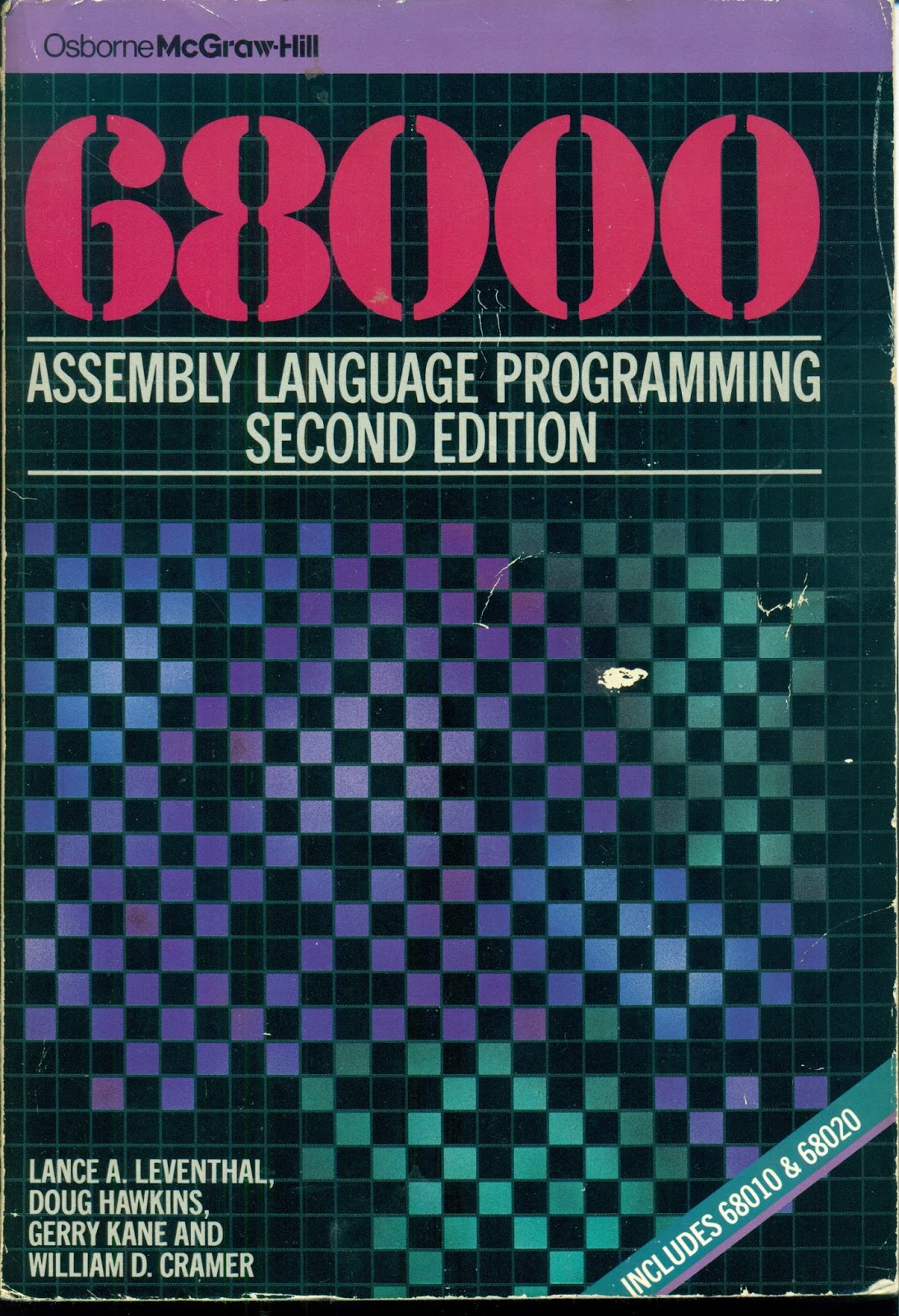
I earlier mentioned the book 68000 Assembly Language Programming, Second Edition, by Lance A. Leventhal, Doug Hawkins, Gerry Kane, and William D. Cramer. The book has many complete programming examples listed in it that help explain 68000 programming.
The book recommends entering and running the programs ona 68000-based system. I've been doing that, and it makes the code much clearer than simply reading the text. With the 68000 TUTOR software it is very easy to disassemble code in memory, display amd enter memory values, and run the program examples. I typically step through the code an instruction at a time using the trace function, looking at the values of the registers and selected memory locations.
Here is a typical disassembly of some example code:
TUTOR 1.3 > MD 4000 24 ;DI
004000 307C6001 MOVE.W #24577,A0
004004 7003 MOVEQ.L #3,D0
004006 4281 CLR.L D1
004008 4282 CLR.L D2
00400A 6008 BRA.S $004014
00400C D241 ADD.W D1,D1
00400E 3601 MOVE.W D1,D3
004010 E54B LSL.W #2,D3
004012 D243 ADD.W D3,D1
004014 1418 MOVE.B (A0)+,D2
004016 D242 ADD.W D2,D1
004018 51C8FFF2 DBF.L D0,$00400C
00401C 33C100006004 MOVE.W D1,$00006004
004022 4E75 RTS
While I could enter the programs as hex data from the text, or use TUTOR's built-in assembler, I have been entering the source code on a Linux computer and cross-assembling it using the VASM assembler. Then I can load the Motorola hex (run) file generated by the assembler into the TS2 computer over the serial port.
Here is the source code corresponding to the disassembly above:
DATA EQU $6000
PROGRAM EQU $4000
STRING EQU $6001 ADDRESS OF FOUR DIGIT BCD STRING
RESULT EQU $6004 ADDRESS OF RESULT
ORG PROGRAM
PGM_7_4A MOVEA.W #STRING,A0 POINTER TO FIRST BCD DIGIT
MOVEQ #4-1,D0 NUMBER OF DIGITS(-1) TO PROCESS
CLR.L D1 CLEAR FINAL RESULT - D1
CLR.L D2 CLEAR DIGIT REGISTER
BRA.S NOMULT SKIP MULTIPLY FIRST TIME
LOOP ADD.W D1,D1 2X
MOVE.W D1,D3
LSL.W #2,D3 8X = 2X * 4
ADD.W D3,D1 10X = 8X + 2X
NOMULT MOVE.B (A0)+,D2 NEXT BCD DIGIT,(D2[15-8] UNCHANGED)
ADD.W D2,D1 ADD NEXT DIGIT
DBRA D0,LOOP CONTINUE PROCESSING IF STILL DIGITS
MOVE.W D1,RESULT STORE RESULT
RTS
END PGM_7_4A
The VASM assembler is almost entirely compatible with the Motorola assembler and I have had to make only a very few changes to the code listed in the book. I did find a couple of errors, too.
So far I have entered almost four chapters worth of examples, just over thirty programs. I have placed the code on my github account. I'll continue doing so until I either get bored or finish the examples.
Labels:
68000,
assembly language,
Cross-assembler,
Motorola ECB,
Motorola TUTOR,
VASM
Monday, May 15, 2017
Building a 68000 Single Board Computer - Dr Dobb's Demos
I expanded a couple of the programs that I entered from Dr. Dobb's Toolbook of 68000 Programming to run on my TS2 computer under the TUTOR monitor. I added a main program that uses the output routines provided by TUTOR through its trap 14 interface to display output of the routine.
The first is the random number generator routine. The demo lists a series of 32-bit random numbers in decimal. Here is some of the initial output:
TUTOR 1.3 > GO 1058
PHYSICAL ADDRESS=00001058
16807
282475249
1622650073
984943658
1144108930
470211272
101027544
1457850878
1458777923
2007237709
823564440
1115438165
1784484492
74243042
114807987
1137522503
1441282327
16531729
823378840
143542612
The second demo is for the square root routine. It lists the integer square roots of the numbers from 0 to 100 000, displaying the number and its corresponding square root. Here is some of the initial output:
TUTOR 1.3 > GO 10B0
PHYSICAL ADDRESS=000010B0
0 0
1 1
2 1
3 1
4 2
5 2
6 2
7 2
8 2
9 3
10 3
11 3
12 3
13 3
14 3
15 3
16 4
17 4
18 4
19 4
20 4
And here is the final output as it reached 100 000:
99980 316
99981 316
99982 316
99983 316
99984 316
99985 316
99986 316
99987 316
99988 316
99989 316
99990 316
99991 316
99992 316
99993 316
99994 316
99995 316
99996 316
99997 316
99998 316
99999 316
100000 316
Labels:
68000,
Dr. Dobb's Journal,
Motorola ECB,
MotorolaTUTOR,
random,
square root
Friday, February 10, 2017
Building a 68000 Single Board Computer - PCB Layout
Plot of PCB Layout from Kicad
I spent some time learning how to use Kicad's PCB layout software and created an experimental board layout. I had never laid out a circuit before using CAD software before, so there was some learning curve and I may have made some rookie mistakes. The routing was all done using the FreeRouting software. The resulting layout is quite complex but looks pretty good. It is a double-sized board, and based on the board size, it looks like it would cost about US$200 - US$250 to have three high-quality boards made from a supplier like OSH Park, and less from some manufacturers in China. Before I did that I would probably carefully review the layout a little more.
All files can be found at github.
3D Rendering of PCB Layout from Kicad
Expensive? Well, I just saw a Motorola MEX68KCB MC68000 Educational Computer Board show up on eBay. The minimum bid is US$295. It will be interesting to see if it sells.
Thursday, January 19, 2017
Building a 68000 Single Board Computer - Tiny Basic
Tiny BASIC is a dialect of the BASIC programming language that was originally written by Dennis Allison for early microcomputers including 6502 systems like the KIM-1. It could fit into as little as two or three kilobytes of memory. I earlier blogged about running the 6502 version on my Replica 1 computer.
Tiny Basic spawned a newsletter called Dr. Dobb's Journal of Tiny BASIC Calisthenics and Orthodontia, which evolved into the magazine Dr. Dobb's Journal. In 1985, the 100th issue of Dr. Dobb's Journal published an article by Gordon Brandly describing a Tiny Basic interpreter he had written for the Motorola 68000 microprocessor.
I came across this and thought I would try porting it to my TS2 computer. It turns out that no porting is needed, as it was designed to run on the Motorola MEX68KECB Educational Computer Board, which the TS2 is compatible with. I simply loaded the Motorola S record file and it came up on the console:
TUTOR 1.3 > GO 900
PHYSICAL ADDRESS=00000900
Gordo's MC68000 Tiny BASIC, v1.2
OK
>
The supported Basic keywords are BYE, CALL, FOR, GOSUB, GOTO, IF, INPUT, LET, LIST, LOAD, NEW, NEXT, PEEK, POKE, PRINT, READ, REM, RETURN, RUN, SAVE, STEP, STOP, AND TO. It is quite a limited version of Basic (it is only about 3K in size!), but some programs have been developed for or ported to it. One that comes with the Tiny Basic distribution is a version of the classic Star Trek game. Here is a transcript of a portion of a game:
> RUN
Do you want a difficult game? (Y or N): N
Stardate 3200: Your mission is to destroy 5 Klingons in 30 stardates.
There are 3 starbases.
Enterprise in Q-75 S-31
Captain: HELP
R=Report S=SR. sensor L=LR. sensor
G=Galaxy map P=Phaser T=Torpedo
W=Warp engine * Please use one of these commands *
Captain: R
Status report:
Stardate 3200
Time Left 30
Condition Green
Position Q-75 S-31
Energy 4000
Torpedoes 10
Klingons left 5
Starbases 3
Captain: G
Enterprise in Q-75 S-31
Computer display of galaxy map
1: 0 0 0 0 0 0 0 0
2: 0 0 0 0 0 0 0 0
3: 0 0 0 0 0 0 0 0
4: 0 0 0 0 0 0 0 0
5: 0 0 0 0 0 0 0 0
6: 0 0 0 0 0 0 0 0
7: 0 0 0 0 0 0 0 0
8: 0 0 0 0 0 0 0 0
.. .. .. .. .. .. .. ..
1 2 3 4 5 6 7 8
Captain: S
Enterprise in Q-75 S-31
Short range sensor
1 . . . . . . . .
2 . . . . . . . .
3 E . . . . . . .
4 . . . . . . . .
5 . . . . . . . .
6 . . . . . . . .
7 . . . . . . . .
8 . . . . . . . *
1 2 3 4 5 6 7 8
Captain: L
Enterprise in Q-75 S-31
Long range sensor
1 7 7
1 1 1
101 5 1
Captain: W
Captain: W
Warp engine
Sector distance: 10
Course (0-360): 180
Enterprise in Q-84 S-61
Klingon attack
218 units hit from Klingon at S-63
160 units hit from Klingon at S-51
143 units hit from Klingon at S-21
124 units hit from Klingon at S-12
3305 units of energy left.
Captain: S
Enterprise in Q-84 S-61
Short range sensor
1 . K . . . . . *
2 K . . . . . . .
3 . . . . . . . .
4 . . . . . . . .
5 K . . . . . . .
6 E . K . . . . .
7 . . . . . . . .
8 * . . . . . . .
1 2 3 4 5 6 7 8
Captain: W
Warp engine
Sector distance: 1
Course (0-360): 0
**EMERGENCY STOP**
Spock: "To err is Human."
Enterprise in Q-84 S-61
Klingon attack
242 units hit from Klingon at S-63
172 units hit from Klingon at S-51
189 units hit from Klingon at S-21
83 units hit from Klingon at S-12
2619 units of energy left.
Shield damaged, 4 stardates estimated for repair
Captain: S
Enterprise in Q-84 S-61
Short range sensor
1 . K . . . . . *
2 K . . . . . . .
3 . . . . . . . .
4 . . . . . . . .
5 K . . . . . . .
6 E . K . . . . .
7 . . . . . . . .
8 * . . . . . . .
1 2 3 4 5 6 7 8
Captain:
The article about Tiny Basic was also published in a book: Dr. Dobb's Toolbook of 68000 Programming. I'll have to see if I can find a copy of this.
Labels:
68000,
Dr Dobb's Journal,
Motorola ECB,
Tiny Basic
Friday, January 6, 2017
Building a 68000 Single Board Computer - The TUTOR Monitor
When the 68000 chip was introduced, Motorola offered the MEX68KECB Educational Computer Board (ECB). It included a monitor program called TUTOR. I remember briefly having access to one where I worked back in the mid 1980s when some products were moving to this new processor and staff was becoming familiar with it.
The Teesside TS2, while similar, is a simpler design using static rather than dynamic RAM, and lacks some features like the parallel port and timer (PIT) and cassette tape interfaces. The TS2 was designed to be compatible with the ECB in terms of the memory map for ROM and RAM and serial ports. This allows it to run the TUTOR monitor program.
I was able to find source and binary code for TUTOR here. I ported it to the GNU assembler so that I could modify it if desired.
It is 16KB in size (unlike the TS2 monitor which is about 3Kb) and will fit in the first two 8K EPROMs of the TS2.
I wasn't sure if TUTOR would run as is on my design. The Clements book implied that it should, but did not say so explicitly. After programming the two EEPROMs and inserting them in the board I was pleased to see that it came up and accepted commands.
The Motorola ECB included a parallel printer port and cassette tape interface using the 68230 parallel Interface/Timer (PIT) chip. That chip is not included in the TS2. However, other than commands specific to the printer port and cassette tape, everything else works.
There is a copy of the review of the Motorola ECB from Byte magazine in 1983 here. At US$495 it would be equivalent to about US$1200 today. I believe one of the reasons that the University of Teesside designed their own educational board rather than the ECB was that they could significantly reduce the cost.
The TUTOR monitor is well documented in chapter 3 of the M68000 Educational Computer Board User's Manual. It is quite sophisticated, even including a disassembler and assembler. I'll just cover a few highlights and examples of what it offers.
It provides the following features:
Here is a example of displaying memory, first as hex and ASCII data, then as a disassembly:
TUTOR 1.3 > MD 8008 80
008008 60 00 0C B0 41 F8 04 4C 20 3C 00 00 02 0E 42 81 `..0Ax.L <....B.
008018 10 C1 53 80 66 FA 48 7A 00 10 21 DF 00 08 48 7A .AS.fzHz..!_..Hz
008028 00 12 21 DF 00 0C 4E 75 21 FC 42 55 53 20 00 30 ..!_..Nu!|BUS .0
008038 60 08 21 FC 41 44 44 52 00 30 21 DF 04 CA 21 DF `.!|ADDR.0!_.J!_
008048 04 CE 21 CF 04 44 4F FA 00 0A 21 CF 04 D6 60 00 .N!O.DOz..!O.V`.
008058 0C 34 61 00 1C 3A 3C FC 0D 0A 30 38 04 CA 61 00 .4a..:<|..08.Ja.
008068 19 48 1C FC 00 20 20 38 04 CC 61 00 19 2E 1C FC .H.|. 8.La....|
008078 00 20 30 38 04 D0 61 00 19 30 61 00 1B 86 60 00 . 08.Pa..0a...`.
TUTOR 1.3 > MD 8008 80 ;DI
008008 60000CB0 BRA.L $008CBA
00800C 41F8044C LEA.L $0000044C,A0
008010 203C0000020E MOVE.L #526,D0
008016 4281 CLR.L D1
008018 10C1 MOVE.B D1,(A0)+
00801A 5380 SUBQ.L #1,D0
00801C 66FA BNE.S $008018
00801E 487A0010 PEA.L $00008030(PC)
008022 21DF0008 MOVE.L (A7)+,$00000008
008026 487A0012 PEA.L $0000803A(PC)
00802A 21DF000C MOVE.L (A7)+,$0000000C
00802E 4E75 RTS
008030 21FC425553200030 MOVE.L #1112888096,$00000030
008038 6008 BRA.S $008042
00803A 21FC414444520030 MOVE.L #1094992978,$00000030
008042 21DF04CA MOVE.L (A7)+,$000004CA
008046 21DF04CE MOVE.L (A7)+,$000004CE
00804A 21CF0444 MOVE.L A7,$00000444
00804E 4FFA000A LEA.L $0000805A(PC),A7
008052 21CF04D6 MOVE.L A7,$000004D6
008056 60000C34 BRA.L $008C8C
00805A 61001C3A BSR.L $009C96
00805E 3CFC0D0A MOVE.W #3338,(A6)+
008062 303804CA MOVE.W $000004CA,D0
008066 61001948 BSR.L $0099B0
00806A 1CFC0020 MOVE.B #32,(A6)+
00806E 203804CC MOVE.L $000004CC,D0
008072 6100192E BSR.L $0099A2
008076 1CFC0020 MOVE.B #32,(A6)+
00807A 303804D0 MOVE.W $000004D0,D0
00807E 61001930 BSR.L $0099B0
008082 61001B86 BSR.L $009C0A
008086 600018F6 BRA.L $00997E
TUTOR 1.3 >
The assembler is quite powerful, mostly compatible with Motorola's cross-assembler but lacking support for editing, line numbers, and labels. In pinch, if you could not afford a development system with a cross-compiler, you could use TUTOR's assembler for development and upload the disassembled source and assembled S record file.
Using TUTOR I can easily cross-compile code on a Linux laptop, generate a Motorola hex file, and then transfer it to the TS2 over the serial port.
I'm shortly going to wire up the second 16K of RAM on the board. I can use the memory test command to verify that the new memory is working.
One quirk of TUTOR is that you need to enter all commands in upper case.
Also, some commands can be interrupted by typing BREAK. This is a special serial port sequence and not a character. From minicom it can be sent using F although this doesn't seem to work if you are using a USB to serial convertor.
Overall I see little reason to use the TS2 monitor as TUTOR is much more powerful. The features like breakpoints, tracing, and disassembler make it much easier to debug test programs.
The Teesside TS2, while similar, is a simpler design using static rather than dynamic RAM, and lacks some features like the parallel port and timer (PIT) and cassette tape interfaces. The TS2 was designed to be compatible with the ECB in terms of the memory map for ROM and RAM and serial ports. This allows it to run the TUTOR monitor program.
I was able to find source and binary code for TUTOR here. I ported it to the GNU assembler so that I could modify it if desired.
It is 16KB in size (unlike the TS2 monitor which is about 3Kb) and will fit in the first two 8K EPROMs of the TS2.
I wasn't sure if TUTOR would run as is on my design. The Clements book implied that it should, but did not say so explicitly. After programming the two EEPROMs and inserting them in the board I was pleased to see that it came up and accepted commands.
The Motorola ECB included a parallel printer port and cassette tape interface using the 68230 parallel Interface/Timer (PIT) chip. That chip is not included in the TS2. However, other than commands specific to the printer port and cassette tape, everything else works.
There is a copy of the review of the Motorola ECB from Byte magazine in 1983 here. At US$495 it would be equivalent to about US$1200 today. I believe one of the reasons that the University of Teesside designed their own educational board rather than the ECB was that they could significantly reduce the cost.
The TUTOR monitor is well documented in chapter 3 of the M68000 Educational Computer Board User's Manual. It is quite sophisticated, even including a disassembler and assembler. I'll just cover a few highlights and examples of what it offers.
It provides the following features:
- Display and modification of memory as byte, word, longwords, strings, characters, or disassembled instructions.
- Display and modification of registers.
- Memory fill, move, search, and test functions.
- Number conversion between decimal and hexadecimal.
- The ability to set and clear breakpoints.
- Ability to run programs with breakpoints or line by line tracing.
- Output to either of two serial ports, parallel printer port, or cassette tape.
- Loading and saving of memory in S record format.
- An assembler which allows entering assembly language mnemonics.
Here is a example of displaying memory, first as hex and ASCII data, then as a disassembly:
TUTOR 1.3 > MD 8008 80
008008 60 00 0C B0 41 F8 04 4C 20 3C 00 00 02 0E 42 81 `..0Ax.L <....B.
008018 10 C1 53 80 66 FA 48 7A 00 10 21 DF 00 08 48 7A .AS.fzHz..!_..Hz
008028 00 12 21 DF 00 0C 4E 75 21 FC 42 55 53 20 00 30 ..!_..Nu!|BUS .0
008038 60 08 21 FC 41 44 44 52 00 30 21 DF 04 CA 21 DF `.!|ADDR.0!_.J!_
008048 04 CE 21 CF 04 44 4F FA 00 0A 21 CF 04 D6 60 00 .N!O.DOz..!O.V`.
008058 0C 34 61 00 1C 3A 3C FC 0D 0A 30 38 04 CA 61 00 .4a..:<|..08.Ja.
008068 19 48 1C FC 00 20 20 38 04 CC 61 00 19 2E 1C FC .H.|. 8.La....|
008078 00 20 30 38 04 D0 61 00 19 30 61 00 1B 86 60 00 . 08.Pa..0a...`.
TUTOR 1.3 > MD 8008 80 ;DI
008008 60000CB0 BRA.L $008CBA
00800C 41F8044C LEA.L $0000044C,A0
008010 203C0000020E MOVE.L #526,D0
008016 4281 CLR.L D1
008018 10C1 MOVE.B D1,(A0)+
00801A 5380 SUBQ.L #1,D0
00801C 66FA BNE.S $008018
00801E 487A0010 PEA.L $00008030(PC)
008022 21DF0008 MOVE.L (A7)+,$00000008
008026 487A0012 PEA.L $0000803A(PC)
00802A 21DF000C MOVE.L (A7)+,$0000000C
00802E 4E75 RTS
008030 21FC425553200030 MOVE.L #1112888096,$00000030
008038 6008 BRA.S $008042
00803A 21FC414444520030 MOVE.L #1094992978,$00000030
008042 21DF04CA MOVE.L (A7)+,$000004CA
008046 21DF04CE MOVE.L (A7)+,$000004CE
00804A 21CF0444 MOVE.L A7,$00000444
00804E 4FFA000A LEA.L $0000805A(PC),A7
008052 21CF04D6 MOVE.L A7,$000004D6
008056 60000C34 BRA.L $008C8C
00805A 61001C3A BSR.L $009C96
00805E 3CFC0D0A MOVE.W #3338,(A6)+
008062 303804CA MOVE.W $000004CA,D0
008066 61001948 BSR.L $0099B0
00806A 1CFC0020 MOVE.B #32,(A6)+
00806E 203804CC MOVE.L $000004CC,D0
008072 6100192E BSR.L $0099A2
008076 1CFC0020 MOVE.B #32,(A6)+
00807A 303804D0 MOVE.W $000004D0,D0
00807E 61001930 BSR.L $0099B0
008082 61001B86 BSR.L $009C0A
008086 600018F6 BRA.L $00997E
TUTOR 1.3 >
The assembler is quite powerful, mostly compatible with Motorola's cross-assembler but lacking support for editing, line numbers, and labels. In pinch, if you could not afford a development system with a cross-compiler, you could use TUTOR's assembler for development and upload the disassembled source and assembled S record file.
Using TUTOR I can easily cross-compile code on a Linux laptop, generate a Motorola hex file, and then transfer it to the TS2 over the serial port.
I'm shortly going to wire up the second 16K of RAM on the board. I can use the memory test command to verify that the new memory is working.
One quirk of TUTOR is that you need to enter all commands in upper case.
Also, some commands can be interrupted by typing BREAK. This is a special serial port sequence and not a character. From minicom it can be sent using
Overall I see little reason to use the TS2 monitor as TUTOR is much more powerful. The features like breakpoints, tracing, and disassembler make it much easier to debug test programs.
Labels:
68000,
68K,
Monitor,
Motorola ECB,
prototype,
single board computer,
TUTOR
Thursday, January 5, 2017
Building a 68000 Single Board Computer - The TS2 Monitor
The original Teesside TS2 computer included a small machine language monitor program called TS2MON or TSBUG. There is a source listing for it in the book as well as on the included CD-ROM.
As I posted here earlier, I ported the monitor so it could be cross-compiled with the GNU assembler for the 68000. I now have it running on my prototype board. It is a very rudimentary monitor program, running out of ROM, and is a little over 3 Kilobytes in size.
I programmed it into two 27C64 64KB EPROMs. I've also verified that the board works with 28C64 EEPROMs.
The monitor provides twelve commands offering some basic features:
- Examine and change memory.
- Display and change registers.
- Start program execution.
- Load and save memory though a serial port using Motorola hex (S record) format.
- Basic support for breakpoints, allow the setting and clearing of breakpoints and program execution to be halted and continued after a breakpoint.
I've documented the commands here. Here are a few examples.
?TSBUG 2 Version 23.07.86
?
Display and change some memory:
?MEM 1000
?
?00001000 0000 1234
?00001002 1234 2345
?00001004 2345 6789
?00001006 0000 -
?00001004 6789 N
?00001006 0000 N
?00001008 0000
Display registers:
?DISP
?
? Data reg Address reg
?0 00000000 00000000
?1 00000000 00000000
?2 00000000 00000000
?3 00000000 00000000
?4 00000000 00000008
?5 00000040 00000000
?6 00000000 00000000
?7 00000000 00000000
?
? SS = 00000000
? SR = 2700
? PC = 00001000
Change a couple of registers:
?REG PC 1000
?00001000
?
?REG D0 12345678
?00000000
?
?DISP
?
? Data reg Address reg
?0 12345678 00000000
?1 00000000 00000000
?2 00000000 00000000
?3 00000000 00000000
?4 00000000 00000008
?5 00000040 00000000
?6 00000000 00000000
?7 00000000 00000000
?
? SS = 00000000
? SR = 2700
? PC = 00001000
Dump a range of memory to an S record file:
?DUMP 8000 8080
?
S113800000000800000080084DF80C0042AE004A51
S1138010422E0048422E00496136610005D86100B5
S1138020044E49FA09D06164207C0000C00020108D
S11380300C80524F4D3266044EA800084E714E71AA
S113804042876128614C61000080610000BE60F0DD
S113805041F90001004010BC0003117C0003000141
S113806010BC0015117C001500014E7548E700088E
S113807049FA099C61064CDF10004E752F00101C54
S10480806794
S9
The code was designed to be simple and readable. Despite its simplicity, it does have some more advanced features. It uses device control blocks (DCBs) in RAM to allow modifying the device input/output routines to redirect them. It can also be extended by code in the second set of ROMs to add more commands.
I've now wired up the second 6850 UART chip. The board has two serial ports. The rationale at the time was that users would typically have a dumb serial terminal connected to one port to use as a console, and the other port would connect to a development system computer for uploading or downloading programs. The TSMON LOAD and DUMP commands use the second serial port for this reason.
One of the simplifications in my design is to use an FTDI USB to serial (TTL-level) converter for the serial ports, avoiding the need for some additional chips and +/- 12 volt power supplies, and allowing it to be connected to a USB port. You can also power the board from USB if desired.
Typical usage today would be to connect to one computer using a terminal emulator (I'm using a laptop running Ubuntu Linux and use the minicom program). In that case it is probably more convenient to use only one serial port both as a console and for file transfers. While the monitor source code could be modified to use the monitor serial port for LOAD and DUMP, you can patch the DCB in RAM to direct the commands to use the console port rather than the auxiliary port. It is simply a matter of changing two words in the DCB. Addresses $00000D0E and $00000D26 need to be changed from $0041 to $0040. This needs to be done each time monitor is entered, i.e. after a reset.
Having done that, I can upload an S record file from my Linux laptop to the TS2 by cating the file to /dev/ttyUSB0 after running a monitor LOAD command. You can then run the program from the monitor. A simple test program can be found in git here.
In a future blog post I'll cover a more sophisticated monitor program, the TUTOR software, which was developed by Motorola for the 68000 Educational Computer Board (ECB), but also runs on the TS2 since it was designed to have a memory map compatible with the ECB.
Labels:
68000,
68K,
Monitor,
Motorola ECB,
prototype,
single board computer,
TUTOR
Subscribe to:
Comments (Atom)