Showing posts with label 68000. Show all posts

Wednesday, November 24, 2021

Retrocomputing Basic Implementations

Here is a summary of a number of Basic implementations that I have come across and worked with as part of my retrocomputing hobby. Many of these were ported by me or others to different platforms from the ones they were originally written for (for example, single board computers based on the 6502, 6809, Z80, and 68000 microprocessors). These are all found on my github  account.

Name Developer Platform Code size Comments
Enhanced Basic (68000) Lee Davison 68000 14K Full-featured Basic for 68K platform
Tiny Basic for the 68000 Gordon Brandly 68000 4K Derived from and similar to Palo Alto Tiny Basic.
Enhanced Basic (6502) Lee Davison 6502 11K Full-featured Basic for 6502 platform.
Microsoft Basic for 6502 Microsoft Apple 2, Commodore, KIM-1, OSI, and others 8K Basic used on several early 6502-based microcomputers.
Tiny Basic for 6502 Tom Pitman 6502 3K Originally published in Dr. Dobbs Journal.
Apple 1 Basic Steve Wozniak 6502 (Apple 1) 4K Basic for the Apple 1, later expanded into Apple 2 Integer Basic.
BBC Basic 2 for Acorn Atom/BBC Computer Roger Wilson (Acorn Computer) 6502-based Acorn Atom and BBC Computers 16K Basic for the Acorn Atom and BBC Computers.
Tiny Basic for 6800 Tom Pitman 6800 2K My version runs on the Heathkit ETA-3400.
Tiny Basic for 6809 Tom Pitman 6809 2K 6809 port of 6800 version.
TSC Micro BASIC PLUS Technical Systems Consultants 6809 4K Similar to Tiny Basic.
Sinclair ZX81 Basic John Grant and Steve Vickers, Nine Tiles Networks and Sinclair Research Sinclair ZX80/ZX81, Timex 1000 8K Basic for the Sinclair ZX81 computer.

Tuesday, November 19, 2019

A 68000 Disassembler


I have found that a good way to really understand a microprocessor's instruction set is to write a disassembler for it. I have done this for a number of processors including the 6502, 6800, 6809, and Z80. My udis disassembler was implemented on Python and supports a number of processors.

Having recently worked on my 68000 single-board computer, I decided to write a disassembler for the Motorola 68000. This is more challenging than for 8-bit processors due to it's complex instruction set and many addressing modes. I decided to again use Python as it is fast to develop, readable, and cross-platform.

I wanted the design to be at least partially table based. I started with the table on the Motorola MC68000 Programmers Reference Card, but it did not adapt will to a software-based table. I found a very nice and succinct table  written by someone in France under the name of GoldenCrystal that was a better fit. It organized all of the 68000 instructions and decoding of fields in a logical manner. I made a spreadsheet based on the table data.

The 68000 uses 16-bit opcodes, but they are not unique. Various bits in the opcode control the addressing modes and operands, so I needed to use an approach where each instruction has a bit pattern and a mask indicating which bits to examine when looking for a match to a specific opcode. For example, a NOP is $4E71 and all bits are valid but a MOVE instruction has thw two most significant bits as zeroes but the rest vary with the address mode.

I exported the spreadsheet into CSV format, which can easily be read into a data structure from Python. I then use this data for determining what instruction is read. Then I handle the encoding of the instruction and any extension words or operands. Many instructions follow similar encoding and can use the same logic, while others are unique.

It was somewhat tedious and time consuming to work my way through all of the possible instructions. As I proceeded, I wrote a test program with the instructions I was implementing and examples of each addressing mode. An additional good "stress test" of the code is to use random data (such as /dev/urandom on Linux) as input and make sure that it does not crash or produce errors.

After few weeks of occasional evenings (interrupted by a trip to Europe) I had finished support for all instructions. The most complex was the MOVE instruction as it supports almost every addressing mode for both source and destination operands. The final program is just over 1000 lines of Python code including comments and blank lines.

Here is some sample output:

00000000  4E 71                          NOP
00000004  A2 34                          UNIMPLEMENTED
00000006  4A FC                          ILLEGAL
00000008  4E 70                          RESET
00000012  4E 40                          TRAP      #$00
0000001A  00 7C AA 55                    ORI       #$AA55,SR
0000002A  02 7C AA 55                    ANDI      #$AA55,SR
00000032  60 5E                          BRA       $00000092
000000BA  48 C2                          EXT.l     D2
000000BE  4E 69                          MOVE      USP,A1
000000DE  57 CF 00 22                    DBEQ      D7,$00000102
00000112  72 01                          MOVEQ     #$01,D1
00000146  EF 82                          ASL.l     #7,D2
000006E4  08 78 00 08 12 34              BCHG      #$08,$1234
00000C9E  4C FB 55 AA 90 12              MOVEM.l   $12(PC,A1),D1/D3/D5/D7/A0/A2/A4/A6
00000CF4  2C 6D 12 34                    MOVEA.l   $1234(A5),A6
00000D3A  18 3A 12 34                    MOVE.b    $1234(PC),D4
00000F24  55 91                          SUBQ.l    #2,(A1)
00001334  DF B8 12 34                    ADD.l     D7,$1234

With the -n or --nolist option, it only disassembles the instructions. This could be used to feed the output back into an assembler, if you were reverse engineering some code for example. Here is some sample output in this mode:

 NOP
 UNIMPLEMENTED
 ILLEGAL
 RESET
 TRAP      #$00
 ORI       #$AA55,SR
 ANDI      #$AA55,SR
 BRA       $00000092
 EXT.l     D2
 MOVE      USP,A1
 DBEQ      D7,$00000102
 MOVEQ     #$01,D1
 ASL.l     #7,D2
 BCHG      #$08,$1234
 MOVEM.l   $12(PC,A1),D1/D3/D5/D7/A0/A2/A4/A6
 MOVEA.l   $1234(A5),A6
 MOVE.b    $1234(PC),D4
 SUBQ.l    #2,(A1)
 ADD.l     D7,$1234

The source code and test program can be found here.

This process gave me an appreciation for the effort that the Motorola engineers must have gone through to implement the native 68000 dissasembler in the TUTOR firmware which was written in assembly language.

I can also appreciate that significant more work would be needed to extend this to support the 68020 or later processors which have more instructions and addressing modes.

While it was not meant to be a production program, it was fun to write and I now have a much better understanding of the 68000 instruction set and its complexity, quirks and limitations.

Sunday, July 9, 2017

Building a 68000 Single Board Computer - 6809 to 68000 Assembly Language Source Translator

Unlike Intel, which made a decision to keep a high level of compatibility in their x86 processor line, from the 8086 through 286, 386, 486, and Pentium and beyond, Motorola made a clean break when they introduced the 68000. It didn't offer any software compatibility with their earlier processors like the 6800 and 6809.

However, Motorola offered a tool to help programmers port their source code from the 6809 to 68000 microprocessor. The tool, written in Pascal, was intended to do about 90% of the work of translation.

I was able to find a copy of this tool at http://www.retro.co.za/68000/XLATE09/ and try it out. It includes the tool (both executable and source code), documentation, and some sample files.

I was able to run the original trans09.com executable under using the dosbox MS-DOS emulator. I was also able to run it under Windows 10, but I got a number of errors that I had to ignore.

The tool was written in Pascal. It didn't specify which compiler it was targetted at, but it looks like pretty standard Pascal. I was able to compile it using the Free Pascal compiler under Linux with the addition of one line: "Uses Crt;". I made a few other changes to remove warnings about unused variables. The data files used by the program also needed to be renamed to lower case as Linux is case sensitive.

The tool ran quite well, working as described. Much of the translation rules are contained in data files which can be modified. It also uses some small routines which need to be assembled separately.

M6809 to M68000 Source Code Translator     Version 1.2
Systems Engg, E. Kilbride, Scotland
Motorola Inc. Copyright 1986

   Code in       Code out         Errors         Warnings
      17             23              0               4

The basic approach is to map the 6809 registers to corresponding 68000 registers, e.g. A to D0, B to D1, D to D2, X to A0, and Y to A1. It converts 6809 instructions to corresponding 68000 versions, e.g. LDA to MOVE, and points out possible problem areas, like where the behavior of the overflow flag may be different. Some instructions cannot be converted at all. The intention is that this might do about 90% of the conversion and a programmer would need to do the rest.

Here is a sample conversion, first the 6809 code:

* Sample input program
NULL     EQU   0
         CMPA  #9
         BLS   CB1HX1           branch if number is 0-9
         ADDA  #7               number is 10-15 so add 7 to make it A-F

CB1HX1   ADDA  #'0              add the ASCII offset
         RTS

OP1HEX   PSHS   A               save the binary number
         BSR    CB1HEX          convert the number to its ASCII equivalent
         LBSR   OPCHAR          and output it to the system terminal
         PULS   A,PC            restore the binary number and exit
         EXG    A,B             save the l.s. ASCII character in B; original 8-bit number to A
         LSRA                   shift the m.s. half byte into the l.s half byte
         LSRA
         LSRA
         LSRA
         NOP
         RTS                    leave the m.s. ASCII character in A

And now the resulting 68000 version generated by the tool:

*++       ******   STUB EXTERNAL REFERENCES  ******

                  XREF ..DIN,..DOUT,..JSR,..RTS,..CTOX,..CREP
                  XREF ..DPR,..DPW,..CLRAB,..MUL,..INIT,..VREP
          
* Sample input program
NULL      EQU 0                 
          CMP.B #9,D0           
          BLS CB1HX1            branch if number is 0-9
          ADD.B  #7,D0          number is 10-15 so add 7 to make it A-F

CB1HX1    ADD.B  #'0',D0        add the ASCII offset
          BSR ..RTS              

OP1HEX    MOVEM.L D0,-(A6)      save the binary number
          BSR CB1HEX            convert the number to its ASCII equivalent
          BSR OPCHAR            and output it to the system terminal
          MOVEM.L (A6)+,D0      restore the binary number and exit
          MOVE.L (A6)+,A3       
          JMP (A3)              
          EXG.L  D0,D1          save the l.s. ASCII character in B; original 8-
*                               bit number to A
          LSR.B #1,D0           shift the m.s. half byte into the l.s half byte
** WARNING **                      * V-BIT CLEARED *
          LSR.B #1,D0            
** WARNING **                      * V-BIT CLEARED *
          LSR.B #1,D0            
** WARNING **                      * V-BIT CLEARED *
          LSR.B #1,D0            
** WARNING **                      * V-BIT CLEARED *
          NOP                    
          BSR ..RTS             leave the m.s. ASCII character in A

To actually use this tool you may need to modify it and/or the data files to work with your particular 68000 cross-assembler. For example, the VASM assembler I use does not like the stub routine names starting with two dots like "..RTS" but will accept them with only one dot (e.g. ".RTS").

I've put my test files and notes here: https://github.com/jefftranter/68000/tree/master/xlate09

I don't know if anyone used this tool to port any significant programs for the 6809 to 68000, but it is a rather interesting tool and the concept could be applicable to other processors. It is also an alternative approach to emulation, which is often use but has a different set of tradeoffs (like performance).

Saturday, July 8, 2017

Building a 68000 Single Board Computer - The Quelo 68000 Cross-Assembler

In the book 68000 Microcomputer Experiments by Alan D. Wilcox that I recently mentioned in a blog post, there is a chapter that covers using a cross-assembler to build 68000 code and upload it to the Motorola ECB. The assembler used for the examples is the Quelo 68000 cross-assembler.

A couple FORTH implementations for the 68000 that I came across mentioned that they were written for the Quelo assembler as well.

Quelo was a company based in Seattle, WA that offered a commercial cross-assembler for the 68000 that ran on CP/M and MS-DOS, around 1984. A Google search located a copy of the Quelo assembler for MS-DOS as well as a manual.


I was able to run the assembler under Linux using the dosbox MS-DOS emulator program (It likely runs under Windows 10 as well, but in my experience dosbox is often even more compatible with MS-DOS than recent versions of Windows are).

I used the small program example that was in the Wilcox book and was able to assemble it, generate an S record file, and upload and run it on my TS2 computer.

Assembling my larger calculator program generated some errors which looked trivial to fix (e.g. the syntax for PC relative addressing was different).

It looks like quite a sophisticated cross-assembler which includes macro support and a separate linker as well as some utilities like a cross-reference tool and utility for splitting files into odd and even ROMs.

All of the files I used as well as building instructions can be found here:
https://github.com/jefftranter/68000/tree/master/quelo.


A Google search for Quelo found a number of references to CP/M and Motorola 68K software including the ad above from the November 1983 issue of PC Magazine. The manual says it was licensed for a single user. One source referred to the CP/M version as being public domain; possibly they made the CP/M version of the assembler free when MS-DOS became more popular, but as far as I can tell the source code is not available anywhere and is likely lost.

It was fun to be able to run a program from 1983 on a modern computer, but for most of my 68000 cross-assembler needs I think I will stick to the VASM assembler which runs natively on Linux and is still being actively maintained.

Building a 68000 Single Board Computer - RPN Calculator Program

I haven't really done any signficant 68000 programming other than typing in examples from books and other sources and porting the code to my TS2. As a larger programming project, I decided to write a simple calculator program.

It uses Reverse Polish (infix) notation and is loosely inspired by the FORTH programming language. It works with 32-bit signed integers and supports some basic math and bitwise functions and input and output in hex and decimal.

The stack size is programmable at build time and defaults to five. It is written for the VASM cross-assembler. Here is a list of the supported commands:

number  Enter number (32-bit signed), put on top of stack
.                           Display stack
+                          Add two numbers on stack, pop them, push result
-                           Subtract two numbers on stack, pop them, push result
*                          Multiply two numbers on stack, pop them, push result
/                           Divide two numbers on stack, pop them, push result
%                        Divide two numbers on stack, pop them, push remainder
!                          2's complement
~                         1's complement
&                        Bitwise AND
|                          Bitwise inclusive OR
^                         Bitwise exclusive OR
<                        Shift left
>                        Shift right
=                        Pop and compare two values on top of stack. Push 1 if they are same, otherwise 0
h                        Set input and output base to hexadecimal.
n                        Set input and output base to decimal.
q                        Quit to TUTOR monitor.
?                        Help (Show summary of commands)

The next four commands are inspired by the FORTH programming language:

DROP                Removes the number from top of stack
SWAP                Exchanges the top 2 numbers on the stack
DUP                   Duplicates the value on the top of stack
ROT                   Rotates the top 3 numbers on the top of the stack

And here is an example session:

RPN Calculator v1.0
00000000
00000000
00000000
00000000
00000000
? 3
00000000
00000000
00000000
00000000
00000003
? 4
00000000
00000000
00000000
00000003
00000004
? *
00000000
00000000
00000000
00000000
0000000C
? !
00000000
00000000
00000000
00000000
FFFFFFF4
? n
Base set to decimal
0
0
0
0
-12
? 10
0
0
0
-12
10
? *
0
0
0
0
-120
?

The code allowed me to get some hands-on experience with 68000 assembly language programming. In particular I was exposed to:

  • Different size operations (byte, world, longword)
  • Use of data and address registers.
  • Use of indexed addressing modes.
  • Use of arithmetic, logical, and shift operations.
  • Calling TUTOR's TRAP 14 firmware routines.
  • String manipulation.
  • Writing subroutines with well-defined interfaces and saving and restoring of registers.
  • Writing position independent code.

Overall it went quite smoothly and only took a few evenings to implement. I made occasional use of TUTOR's trace function and breakpoints to debug the code. It is just over 1000 lines of commented source code and about 2KB of executable code.

The source code can be found at https://github.com/jefftranter/68000/tree/master/rpncalc

Building a 68000 Single Board Computer - More Books and Alternative Version of TUTOR

I recently picked up a couple more 68000 books.


68000, 68010, 68020 Primer by Stan Kelly-Bootle and Bob Fowler covers 68000 family programming. It has a friendly and not highly technical style. While not heavy on examples (most examples are not complete programs), it does a good job of explaining the important concepts of the 68000, including some aspects which might appear to be quirks but are intended behavior (like the Z versus X flags). It even covers basic concepts like binary arithmetic for readers who may not be familiar with them. The appendix of 68000 Resources is interesting from a historical perspective, listing a number of 68000 hardware and software suppliers, most of which are now long defunct.


68000 Microcomputer Experiments by Alan D. Wilcox, subtitled "Using the Motorola Educational Computer Board", is a small spiral bound book that covers the 68000 more from a hardware perspective. Each chapter covers a topics such as "Programming with Tutor" and "Using the Serial Port", with a series of lab experiments and exercises. Some of the experiments require an oscilloscope, logic probe, and optionally a logic analyzer. It is aimed mostly at university level electrical engineering students and it most useful if you have access to a Motorola ECB board. Most of the book is relevant to my TS2 board, as it is similar and mostly compatible, which exceptions like the parallel port and cassette tape interfaces. The appendices have useful reference material, some of which came from Motorola documentation.


Thursday, June 8, 2017

Building a 68000 Single Board Computer - The Newlib C Library


To protect it, I made a Lexan cover for the TS2 board, similar to what I did for the prototype. I mounted it using nylon standoffs and mounted the switches on the cover. I don't yet have the correct toggle switches, so the units here are temporary.


In order to run C programs of any complexity, you need a C run-time library to provide functions for things like input/output (e.g. printf) and string manipulation (e.g. strcmp). Since the TS2 is not running an operating system like Linux, this is not available.

A full C library is too large to run on a board like this with only 32K of RAM. Fortunately, there are some smaller alternative C run-time libraries available, mostly designed for embedded systems.

I spent some time looking at one of the popular ones, newlib. Designed for embedded systems, it supports the Motorola 68000 processor (usually referred to as m68k).

It is quite complex and documentation is sparse. I found and read a number of references. I found the easiest way to port it to the TS2 board was to start with the newlib code for another 68000-based single-board computer, copy it, and adapt it (As someone once said: "adopt, adapt, and improve").

Porting newlib involves creating at least some minimal functions for low-level input output and returning from the main() functions. These are in a part of newlib known as libgloss.

I won't cover all the details, but these were the files I needed to modify or create, all located in the libgloss/m68k/ direcytory of newlib:

Makefile.in - This is the make file which needed to be modified to add the new TS2 target platform.

crt0.S - This is the C run-time startup file. This only needed one minor change to work around a problem I encountered with atexit handling.

tutor.S - This file implements basic routines for character and string input and output and returning after main(). They are implemented in assembler and call the TUTOR ROMs routines via trap 14 with the exception of one routine which returns if a character is ready for input. It needed to talk directly to the UART hardware as TUTOR did not implement such a function. After executing main, controls returns to the TUTOR monitor.

tutor.h - This file defines some constants use by tutor.S, specifically the names of the TUTOR trap 14 functions.

ts2.ld - This is a linker script which defines the memory map to use when building for the TS2 board. You refer to this when linking your program with newlib.

The relevant files can all be found here.

The newlib directory contains a script which downloads the gcc and newlib source code, and then configures and builds gcc and newlib. It patches newlib with the files needed to support the TS2.

Also included is a sample program and make file which builds using the cross-compiler and newlib and runs on the TS2. It is a small C program I wrote some years ago to solve the "n queens" chess problem. It is very CPU and stack intensive program that can take a long time to run depending on the speed of the system and the size of the chessboard for the problem.

I ran it for a 5x5 board. The output is below:

TUTOR  1.3 > GO 804
PHYSICAL ADDRESS=00000804
Solving n queens problem for n = 5
+---------------+
| Q  .  .  .  . |
| .  .  Q  .  . |
| .  .  .  .  Q |
| .  Q  .  .  . |
| .  .  .  Q  . |
+---------------+
+---------------+
| Q  .  .  .  . |
| .  .  .  Q  . |
| .  Q  .  .  . |
| .  .  .  .  Q |
| .  .  Q  .  . |
+---------------+
+---------------+
| .  Q  .  .  . |
| .  .  .  Q  . |
| Q  .  .  .  . |
| .  .  Q  .  . |
| .  .  .  .  Q |
+---------------+
+---------------+
| .  Q  .  .  . |
| .  .  .  .  Q |
| .  .  Q  .  . |
| Q  .  .  .  . |
| .  .  .  Q  . |
+---------------+
+---------------+
| .  .  Q  .  . |
| Q  .  .  .  . |
| .  .  .  Q  . |
| .  Q  .  .  . |
| .  .  .  .  Q |
+---------------+
+---------------+
| .  .  Q  .  . |
| .  .  .  .  Q |
| .  Q  .  .  . |
| .  .  .  Q  . |
| Q  .  .  .  . |
+---------------+
+---------------+
| .  .  .  Q  . |
| Q  .  .  .  . |
| .  .  Q  .  . |
| .  .  .  .  Q |
| .  Q  .  .  . |
+---------------+
+---------------+
| .  .  .  Q  . |
| .  Q  .  .  . |
| .  .  .  .  Q |
| .  .  Q  .  . |
| Q  .  .  .  . |
+---------------+
+---------------+
| .  .  .  .  Q |
| .  Q  .  .  . |
| .  .  .  Q  . |
| Q  .  .  .  . |
| .  .  Q  .  . |
+---------------+
+---------------+
| .  .  .  .  Q |
| .  .  Q  .  . |
| Q  .  .  .  . |
| .  .  .  Q  . |
| .  Q  .  .  . |
+---------------+
Found 10 solutions after 53130 tries.
TUTOR  1.3 > 

This took about 2.5 minutes to find all the solutions. On a modern 64-bit computer running at a 2 GHz or so clock speed, the same program runs in negligeable time.

With newlib, I can now write C programs that use most of the common ANSI C library functions other than file i/o, threads, or other things lacking without a "real" operating system. The program also has to fit within the 32K RAM limit.

Monday, May 29, 2017

Building a 68000 Single Board Computer - PCBs Arrived!


After almost three months of waiting, my printed circuit boards arrived! I had just about given up, and was in the process of filing a PayPal dispute when they finally showed up.


These were manufactured by EasyEDA.com. They were very low-cost and the boards are high quality double-sided, plated through, solder masked and silk screened. I found it very easy to upload the design files from kicad to EasyEDA.com.

I had to order a minimum of five (I actually received six) but the cost was lower than most other vendors for one board.


This was the first PCB I have ever layed out. I expected a few errors, or possibly something that would make the boards unusable. It turned out I did have a few issues. Somehow a few power connections were omitted in the layout. I'm not yet sure if this was my fault or a bug in Kicad or the router software. I did make one glaring error that I had overlooked on the schematics - the UDS* and LDS* signals to the 68000 were reversed. When I wirewrapped my prototype I had connected them properly.

As compared to the wirewrap version that took the better part of a week (part time) to wire up, assembling the PCB took only a couple of hours, and much of that was making some sockets out of smaller sockets and carefully checking that the right ICs got installed.


I had to add a few "bodge" wires to correct the missing and incorrect wiring. After that, the board is working 100%. It looks very nice. I layed it out so that the switches and LEDs could be mounted externally from the board in a case. I may install it in a case once I find a suitable enclosure Or I may again just mount a piece of plexiglass over the top.


At the moment I have no plans to make more boards, and I only have enough parts for one (I had to cannibalize the parts from the wirewrap prototype).

I will shortly update the design to address the layout issues and make a set of files for a rev 2.1.1.


All in all I am quite happy with my first PCB layout. When I started with kicad I didn't think I would bother beyond wirewrapping a board. It is very gratifying to see a professionally looking board that has my name on it.

Thursday, May 25, 2017

Building a 68000 Single Board Computer - C Compiling Example

I earlier did some experimenting with using gcc to cross-compile C code for the embedded TS2 board. I recently spent a few hours making a longer example, and hooking it up to some of the TUTOR ROM routines.

I earlier built the GNU assembler, and while I was at it I also built the gcc compiler.

In this "bare metal" setup, there is no C run-time library so you can't call routines like printf() to do output. You can't even write code that might require external routines to do things that the 68000 can't do directly, like multiplying 32-bit integers.

My example code can be found here and includes a make file.

The basic steps are to first compile for the 68000 and no standard library. I used this command line:

m68k-elf-gcc -Wall -nostdlib -nodefaultlibs -m68000 -c demo.c

This produces an object file, demo.o. Next, you can link it. I used linker options to specify the addresses for the different sections that would work on my TS2 board. I also found I had to define the symbol _start to point to main to avoid a warning. This was the command line I used:

m68k-elf-ld --defsym=_start=main -Ttext=0x2000 -Tdata=0x3000 -Tbss=0x4000 --section-start=.rodata=0x5000 demo.o

This produces an ELF format excecutable called a.out. You can then generate an S record or Motorola hex file for downloading using a command like this:

m68k-elf-objcopy -I coff-m68k -O srec a.out demo.run

If you wanted to see the assembler output of the C compiler, we could have compiled with the -S option, as below, to produce a file demo.s:

m68k-elf-gcc -Wall -nostdlib -nodefaultlibs -m68000 -S demo.c

Given the S record file, we can directly download it to the TS2 using the TUTOR monitor's LO command, and then execute it.

To be able to produce output, I wrote some simple code to call TUTOR's firmware routines, which are accessed by a TRAP #14 instruction.

For example, to pass control to the TUTOR monitor you call function 228, by passing this value in register D7 and calling TRAP #14. Here is the code to do it in C using some in-line assembler code:

// Go to the TUTOR monitor using trap 14 function. Does not return.
void tutor() {
    asm("move.b #228,%d7\n\t"
        "trap #14");
}

To do output to the console I wrote a short routine that takes a character and calls TUTOR's OUTCH call which writes a character to the console. The code to do it is as follows:

// Print a character using the TUTOR monitor trap function.
void outch(char c) {
    asm("movem.l %d0/%d1/%a0,-(%sp)\n\t"  // Save modified registers
        "move.b #248,%d7\n\t"             // OUTCH trap function code
        "trap #14\n\t"                    // Call TUTOR function
        "movem.l (%sp)+,%d0/%d1/%a0");    // Restore registers
}

The code could be improved and made more robust, for example not
relying on the fact that gcc puts the passed parameter in register D0. But this worked well for a quick demo. I then wrote a routine in C to print a string by calling outch() for each character in the string:

// Print a string.
void printString(const char *s) {
    while (*s != 0) {
        outch(*s);
        s++;
    }
}

I wrote another routine in C to print a number in decimal. Both this and the previous routine could be implemented more efficiently by calling routines in TUTOR that can already do this.

The example program prints numbers from 1 to 7 along with their squares, value to the fourth power, and factorial. I stopped at 7 because I needed to use 16-bit short integers to avoid the need for run-time math routines and 7 factorial was the largest value that would fit in 16-bits.

Here is the output when run from the monitor:

TUTOR  1.3 > GO 2000
PHYSICAL ADDRESS=00002000
Start
n  n^2  n^4  n!
1 1 1 1
2 4 8 2
3 9 27 6
4 16 64 24
5 25 125 120
6 36 216 720
7 49 343 5040
Done

At some point in the future I might implement more routines, and then try building some larger applications like an interactive text adventure game that I wrote some time ago.

An update: By linking to libgcc, the compiled code can do 32-bit integer math and support the C "int" type. It can even do floating point math using the soft float support (although that make the code quickly become quite large). I've updated the code and make file accordingly. There is still no C run-time library for routines like printf(), but I am looking at some options for this that I will describe in a future blog post.

Saturday, May 20, 2017

Building a 68000 Single Board Computer - Programming Examples


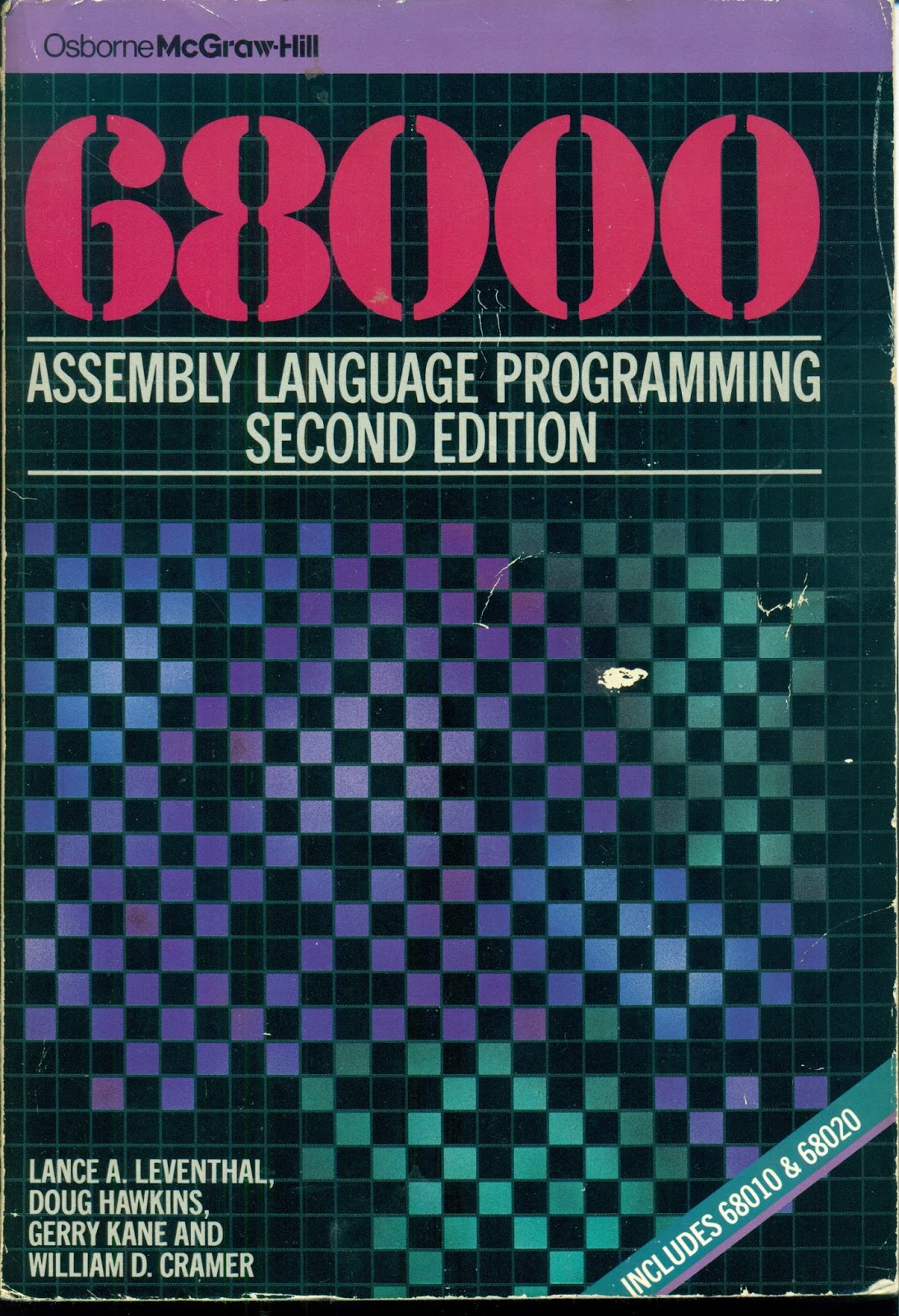
I earlier mentioned the book 68000 Assembly Language Programming, Second Edition, by Lance A. Leventhal, Doug Hawkins, Gerry Kane, and William D. Cramer. The book has many complete programming examples listed in it that help explain 68000 programming.

The book recommends entering and running the programs ona 68000-based system. I've been doing that, and it makes the code much clearer than simply reading the text. With the 68000 TUTOR software it is very easy to disassemble code in memory, display amd enter memory values, and run the program examples. I typically step through the code an instruction at a time using the trace function, looking at the values of the registers and selected memory locations.

Here is a typical disassembly of some example code:

TUTOR  1.3 > MD 4000 24 ;DI
004000    307C6001             MOVE.W  #24577,A0 
004004    7003                 MOVEQ.L #3,D0 
004006    4281                 CLR.L   D1 
004008    4282                 CLR.L   D2 
00400A    6008                 BRA.S   $004014 
00400C    D241                 ADD.W   D1,D1 
00400E    3601                 MOVE.W  D1,D3 
004010    E54B                 LSL.W   #2,D3 
004012    D243                 ADD.W   D3,D1 
004014    1418                 MOVE.B  (A0)+,D2 
004016    D242                 ADD.W   D2,D1 
004018    51C8FFF2             DBF.L   D0,$00400C 
00401C    33C100006004         MOVE.W  D1,$00006004 
004022    4E75                 RTS

While I could enter the programs as hex data from the text, or use TUTOR's built-in assembler, I have been entering the source code on a Linux computer and cross-assembling it using the VASM assembler. Then I can load the Motorola hex (run) file generated by the assembler into the TS2 computer over the serial port.

Here is the source code corresponding to the disassembly above:

DATA     EQU     $6000
PROGRAM  EQU     $4000
STRING   EQU     $6001           ADDRESS OF FOUR DIGIT BCD STRING
RESULT   EQU     $6004           ADDRESS OF RESULT
         ORG     PROGRAM
PGM_7_4A MOVEA.W #STRING,A0      POINTER TO FIRST BCD DIGIT
         MOVEQ   #4-1,D0         NUMBER OF DIGITS(-1) TO PROCESS
         CLR.L   D1              CLEAR FINAL RESULT - D1
         CLR.L   D2              CLEAR DIGIT REGISTER
         BRA.S   NOMULT          SKIP MULTIPLY FIRST TIME
LOOP     ADD.W   D1,D1           2X
         MOVE.W  D1,D3
         LSL.W   #2,D3           8X = 2X * 4
         ADD.W   D3,D1           10X = 8X + 2X
NOMULT   MOVE.B  (A0)+,D2        NEXT BCD DIGIT,(D2[15-8] UNCHANGED)
         ADD.W   D2,D1           ADD NEXT DIGIT
         DBRA    D0,LOOP         CONTINUE PROCESSING IF STILL DIGITS
         MOVE.W  D1,RESULT       STORE RESULT
         RTS
         END     PGM_7_4A

The VASM assembler is almost entirely compatible with the Motorola assembler and I have had to make only a very few changes to the code listed in the book. I did find a couple of errors, too.

So far I have entered almost four chapters worth of examples, just over thirty programs. I have placed the code on my github account. I'll continue doing so until I either get bored or finish the examples.

Monday, May 15, 2017

Building a 68000 Single Board Computer - Dr Dobb's Demos


I expanded a couple of the programs that I entered from Dr. Dobb's Toolbook of 68000 Programming to run on my TS2 computer under the TUTOR monitor. I added a main program that uses the output routines provided by TUTOR through its trap 14 interface to display output of the routine.

The first is the random number generator routine. The demo lists a series of 32-bit random numbers in decimal. Here is some of the initial output:

TUTOR  1.3 > GO 1058
PHYSICAL ADDRESS=00001058
16807
282475249
1622650073
984943658
1144108930
470211272
101027544
1457850878
1458777923
2007237709
823564440
1115438165
1784484492
74243042
114807987
1137522503
1441282327
16531729
823378840
143542612

The second demo is for the square root routine. It lists the integer square roots of the numbers from 0 to 100 000, displaying the number and its corresponding square root. Here is some of the initial output:

TUTOR  1.3 > GO 10B0
PHYSICAL ADDRESS=000010B0
0 0
1 1
2 1
3 1
4 2
5 2
6 2
7 2
8 2
9 3
10 3
11 3
12 3
13 3
14 3
15 3
16 4
17 4
18 4
19 4
20 4

And here is the final output as it reached 100 000:

99980 316
99981 316
99982 316
99983 316
99984 316
99985 316
99986 316
99987 316
99988 316
99989 316
99990 316
99991 316
99992 316
99993 316
99994 316
99995 316
99996 316
99997 316
99998 316
99999 316
100000 316

Thursday, May 11, 2017

Building a 68000 Single Board Computer - Dr. Dobb's Toolbook of 68000 Programming


As part of my 68000 retrocomputing work, I've been collecting some old books on 68000 programming. One book that I have been searching for some time is Dr. Dobb's Toolbook of 68000 Programming. I was recently able to acquire a copy.


It is a collection of articles on the 68000 that were originally published in Dr. Dobb's Journal. Most of them were added or updated for publication in the book. It is an interesting collection of articles, ranging from an introduction to the 68000 family to some Forth implementations and 68000 assemblers, and some small programs.

Gordon Brandly's Tiny Basic, which I have earlier run on the TS2 board, is included.

Some of the articles are quite relevant to my recent work on the TS2 board. There is one on the TUTOR monitor program and another and on bringing up a new 68K board by getting it to freerun.

Overall, it makes for an interesting read. I even know one of the authors -- someone who did some consulting work (not 68000 related) where I was once employed.

This particular copy came from the University of Hertfordshire in England and contains the original library markings and card.


While some of the articles have very large software listings (like a 68000 assembler written in Modula-2), four of the articles were relatively small self-contained programs: I entered the source code for them and put the code up on my github account.

I successfully assembled them with the VASM assembler and ran them on my TS2 board under the TUTOR monitor. They all seemed to work flawlessly (with the exception of one that is not a complete self-contained program).

It was quite straightforward to run them under TUTOR, I added a small main routine with a JSR followed by a TRAP #14 to return to TUTOR after execution. From TUTOR I could set register values to fill in the parameters and the look at the values returned.

Now I'm debating whether to type in 88 pages of Modula-2 source code for an assembler - I don't think I can find a suitable compiler.

Sunday, February 26, 2017

Building a 68000 Single Board Computer - Revision 2.1

I've now updated the design with some changes that I call revision 2.1. It is in a different github directory from revision 2.0: https://github.com/jefftranter/68000/tree/master/TS2/v2.1

In revision 2.1, the large and hard to obtain MC14411 baud rate generator is replaced by a smaller, simpler circuit using the more easily obtained 74HC4060. The difficult to obtain 25LS2548 chip is replaced by more commonly available parts.

Both circuit changes were tested with the wirewrap prototype and a breadboard.


I've done a new PCB layout and checked it reasonably carefully. I'm confident enough in it that I have ordered some boards from easyeda.com. These will take some time to arrive. I plan to build up one board using the parts from the wirewrap prototype.